
Your data likely became messy not because someone woke up and decided on chaos.
It generally takes place gradually: one team exports contacts from the CRM, another team adds customer notes to a spreadsheet, a vendor sends product data in CSV format, someone scans a pile of old paper records, and then a manager requests a clean report by Friday morning, after which the spreadsheet seems as if it has endured a minor electrical storm.
That’s exactly where data formatting services fit in: they bridge the gap between messy information and useful data.
They take the disorganized, inconsistent, and difficult-to-use information and turn it into data that both people and systems can truly rely on; this could involve cleaning an Excel spreadsheet, standardising the fields in a CRM, converting PDFs into structured records, getting the files ready for an ERP migration, or transforming technical content into XML, JSON, or some other defined schema.
In simple terms, data formatting causes your information to behave properly.
This guide outlines what data formatting services involve, how they differ from data cleansing and conversion, when it is appropriate to outsource these services, and how U.S. businesses can choose the right provider; it also shows the process that takes messy files and turns them into usable formats.

Table of Contents
What Are Data Formatting Services?
Data formatting services take raw, inconsistent, or unstructured information and turn it into a specific, useful format. They arrange, standardize, reorganize, convert, and verify information according to defined rules.
The work may include spreadsheets, databases, CRM exports, PDFs, Word files, scanned documents, email exports, web data, product catalogs, legacy systems, and more. The goal isn’t just to make the files look nice. The goal is to make the data consistent, searchable, machine-readable, import-ready, and useful for reporting or automation.
For example, a company may have customer phone numbers stored like this:
- (212) 555-0188
- 212.555.0188
- +1 212 555 0188
- 2125550188
- Call office: 212-555-0188
A formatting project could convert them into a single agreed standard, for example, +1-212-555-0188, while also flagging any records that are incomplete or unclear.
That seems like a minor thing, but if you multiply it by 500,000 records and then add in inconsistent addresses, missing state codes, duplicate contacts, outdated product IDs, and the deadline for the Salesforce migration, the “small” task suddenly looks as though it’s wearing an expensive suit.
Common data formatting tasks
Professional data formatting services may include:
- Standardizing column headers and field names
- Formatting dates, times, currencies, decimals, and measurements
- Standardizing names, addresses, job titles, phone numbers, and emails
- Cleaning Excel and CSV files for imports
- Correcting inconsistent capitalization and spelling
- Mapping source fields to a target CRM, ERP, or database schema
- Restructuring tables and records
- Removing extra spaces, hidden characters, and broken delimiters
- Formatting product catalogs for e-commerce platforms
- Converting document content into XML, JSON, HTML, or database records
- Applying templates to Word documents, reports, legal files, and eBooks
- Extracting information from scanned documents using OCR
- Creating exception reports for records that need human decisions
Data Formatting vs. Data Cleansing vs. Conversion
They are often used together, but they are not the same. If you treat them as identical, you risk vague project scopes, confusing vendor quotes, and unnecessary meetings. Data cleansing removes errors and inconsistencies; data conversion changes format; data formatting arranges information to a defined standard. Below is how they differ in practice.
| Service | Main purpose | Typical work | Example |
| Data formatting | Applies consistent structure and presentation rules | Date formats, column names, capitalization, field lengths, file layout | Changing all dates to MM/DD/YYYY |
| Data cleansing | Finds and corrects inaccurate, incomplete, duplicate, or invalid data | Deduplication, error correction, missing-value review, validation | Removing duplicate customer records |
| Data conversion | Changes data from one file type, system, or structure to another | PDF to Excel, CSV to XML, legacy database to cloud platform | Converting old records for a new ERP |
| Data standardization | Makes values follow common business rules | State codes, address rules, product naming, phone formats | Changing “California,” “CA,” and “Calif.” to CA |
| Data normalization | Organizes data to reduce duplication and improve structure | Database restructuring, table relationships, entity matching | Separating repeated company data into related tables |
| Data validation | Tests whether data meets defined requirements | Required fields, allowed values, format rules, import checks | Flagging an invalid ZIP code or email format |
In practice, most projects require more than one service.
For instance, a CRM data cleansing and standardisation project could eliminate duplicate contacts, correct malformed email addresses, standardise company names, divide full names into first and last name fields, and then prepare the final file for importing into Salesforce or HubSpot.
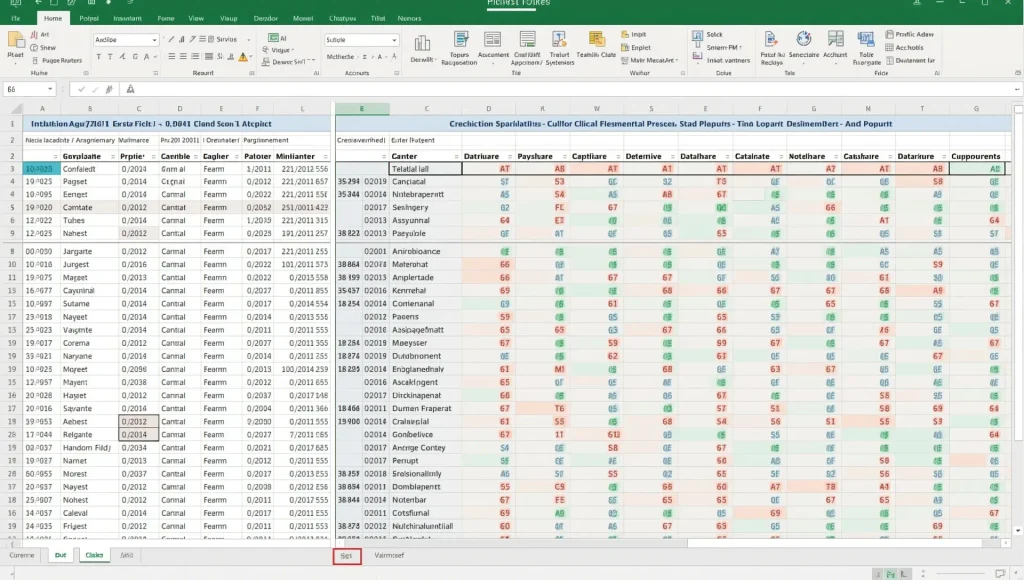
10 Ways Data Formatting Services Help Businesses
1. Make reporting easier.
The reliability of reports depends entirely on the information that they are based on.
When one of the revenue fields shows $1,250.00, another shows 1250, and another shows 1.25K, your reporting tool might not know how to deal with the situation. It could misinterpret the values, fail to add them together, or simply generate a smooth report that tells a made-up story.
Data standardization services ensure that values are made consistent so that teams can have trust in dashboards, performance reports, forecasts, and operational metrics.
2. Prepare Excel and CSV files for importing into a CRM
Excel files and CSV exports are common and can be rather tricky little troublemakers.
A CRM import might fail because of duplicate records, unsupported characters, incorrect date fields, mismatched column headers, invalid country codes, or a phone-number field that contains “ask Susan”. A data formatting service can produce an import-ready file by matching fields to the target platform’s requirements.
This is especially useful for:
- Salesforce data cleansing for import
- HubSpot contact migration
- Microsoft Dynamics data migration
- NetSuite or SAP ERP imports
- Custom database migrations
- E-commerce platform product uploads
3. Enhance the customer and contact data
Customer data usually comes from the sales teams, web forms, trade shows, acquisition lists, service tickets, and third-party platforms. Each source has its own way of doing things. For example, one person will type ‘VP Sales’, another will use ‘Vice President of Sales’, and a third will enter ‘Sales VP’. All of these entries are technically understandable, but they frustrate segmentation.
Standardising address and contact data helps you produce cleaner lists for sales outreach, customer service, billing, analytics, and marketing operations.
Typical formatting rules include:
- First name and last name separation
- Proper capitalization
- Postal address formatting
- State and country code standardization
- Phone number normalization
- Email validation
- Job-title normalization
- Company-name cleanup
- Duplicate-contact detection
4. Support faster automation
Automation is wonderful—until it becomes confused.
A workflow that expects a status of Active, Inactive, or Pending could break if records include active, ACTIVE, in progress, n/a, ?, or a blank cell, since formatting and validation create consistent values that automations can recognise.
If the data is consistent, your workflows will be able to route leads, send out emails, produce invoices, update the inventory levels, or create reports, all with less need for manual adjustments.
5. Clean product catalogs
Product data can get complicated quickly, especially when multiple suppliers, marketplaces, distributors, and internal teams are involved.
A product catalog data formatting project can standardize:
- SKU and product IDs
- Product names and descriptions
- Categories and subcategories
- Brand values
- Sizes, weights, and dimensions
- Prices and currencies
- Image filenames and URLs
- Attributes such as color, material, or compatibility
- Marketplace-required fields
For retailers, manufacturers, and marketplace sellers, a clean catalog isn’t just about appearance; it affects filtering, search, product discovery, customer experience, and feed approvals.
6. Convert scanned documents into searchable data
Just because paper records are scanned doesn’t mean that they become useful.
The usual process for digitizing documents involves scanning, using optical character recognition, classifying the documents, extracting the fields, carrying out quality checks, indexing them, and then delivering the documents in a searchable form. The result can be searchable PDFs, spreadsheets, a document-management system, a database, or a workflow platform.
This is useful for organizations handling:
- Medical records
- Legal files
- HR documentation
- Invoices and purchase orders
- Insurance claims
- Government archives
- Engineering documents
- Historical records
- Microfilm and microfiche collections
When handling a large volume of paper-to-digital tasks, choose a provider with secure chain-of-custody procedures, OCR facilities, indexing standards, exception management, and documented quality assurance measures.
7. Transform the documents into structured content
Some organizations need not just a clean Word document or a searchable PDF, but reusable, structured content.
For instance, publishers, life sciences organisations, aerospace teams, technical product manufacturers, and knowledge management groups might need documents converted to XML, DITA, JSON, JATS, S1000D, HTML, or a proprietary schema.
Structured data conversion for AI and analytics can make it easier to search, reuse, publish across channels, analyse, and pass on to downstream systems.
8. Reduce costly migration mistakes
Moving data isn’t just transferring files from one place to another; for a migration to succeed, you must understand the source data, target schema, mandatory fields, duplicate rules, transformation logic, and acceptance criteria.
Poorly formatted data can create:
- Failed imports
- Duplicate records
- Broken reports
- Lost historical context
- Invalid customer records
- Incorrect financial values
- Delayed go-lives
- Manual cleanup that continues long after launch
A provider can help create field maps, standardise source values, validate files, run pilot imports, and record exceptions before the main migration.
9. Preserve legacy information
Valuable information may be found in legacy databases, old file formats, paper archives, exports from outdated software, and historical PDFs. The issue is usually one of accessibility.
Legacy data conversion services can transfer information into modern, usable formats while preserving metadata, record relationships, searchable text, and any necessary audit requirements.
The key point is preservation; if a migration loses record context or disrupts relationships, it is not a success and amounts to an orderly kind of disappearance.
10. Give teams back their time
The most obvious business advantage is this: your staff will no longer have to spend hours correcting commas, dates, headers, duplicate records, and faulty imports.
You can put that time into analysis, customer work, strategy, operations, or at least a lunch break that doesn’t involve staring at a spreadsheet with quiet resentment.

What Can a Data Formatting Company Handle?
The answer is broad, but you need to specify the source and target formats before you start.
| Source material | Common formatting or conversion output |
| Excel/XLSX workbooks | Clean spreadsheets, standardized columns, import-ready files |
| CSV or TSV files | Validated delimiter files, mapped CRM/ERP imports |
| PDF documents | Searchable PDFs, Excel tables, structured data records |
| Word documents | Branded reports, standardized templates, structured content |
| Scanned images | OCR text, indexed files, extracted fields, databases |
| CRM exports | Cleansed contacts, deduplicated accounts, mapped imports |
| Email exports | Structured records, contact lists, searchable archives |
| HTML pages | Clean text, metadata, XML, JSON, content databases |
| XML and JSON | Schema-compliant structured files and normalized datasets |
| Legacy databases | Modern database exports, migration files, archive records |
| Product feeds | Standardized e-commerce and marketplace catalogs |
| Paper records | Digital images, searchable PDFs, indexed document repositories |
When Should You Outsource Data Formatting?
Software is useful for stable, repeatable jobs. If you receive the same clean CSV every Monday, with the same column structure and the same rules, automation may be the right choice.
Outsourcing becomes more attractive when the work is messy, varied, high-volume, sensitive, or business-critical.
Outsource when you have:
- Large Excel, CSV, or database datasets
- Mixed data from many systems or vendors
- Scanned PDFs and handwritten or low-quality documents
- Manual-review requirements
- A CRM, ERP, or database migration deadline
- Complex field mapping or schema rules
- Legacy data that must be preserved
- Compliance, privacy, or documented QA needs
- In-house teams already stretched thin
- A need for sample batches, error reports, and accountable delivery
Keep it in-house when you have:
- Small, low-risk files
- Stable source formats
- Clear transformation rules
- Internal data expertise
- No sensitive information
- An existing automated workflow that already works well
No medal for doing everything internally. There is also no prize for outsourcing a task your team can automate in ten minutes. The sensible choice depends on risk, scale, complexity, and the cost of getting it wrong.
How to Choose Data Formatting Services in the USA
Not all providers are built for the same job. A specialist in XML and DITA conversion may be a great fit for technical publishing but not necessarily for scanning warehouse paperwork. Likewise, a document-scanning provider may be excellent for physical records but not the right choice for a complicated Salesforce data-cleanup project.
Match the provider to the job
| Provider type | Best fit | What to evaluate |
| Structured-content specialist | XML, DITA, JSON, JATS, technical publishing, AI-ready content | Schema expertise, semantic tagging, QA, sample conversion |
| Document digitization provider | Paper archives, scanned images, microfilm, records management | Security, OCR accuracy, indexing, chain of custody |
| CRM and database cleanup provider | Excel, CSV, contacts, accounts, B2B records, system imports | Deduplication rules, field mapping, platform expertise |
| General data-processing provider | Mixed files, document conversion, recurring cleanup | Scalability, turnaround, QA process, pricing model |
| Document-formatting provider | Reports, Word documents, eBooks, templates, legal files | Template consistency, editing scope, output quality |
U.S.-relevant service recommendations
The following companies serve different formatting, conversion, digitization, and data-cleanup needs. Evaluate them against your exact scope, security requirements, output format, and acceptance criteria.
| Provider | Strongest fit | Why it may fit |
| Data Conversion Laboratory (DCL) | Structured-content conversion | Suitable for XML, DITA, S1000D, JSON, technical publishing, metadata enrichment, and schema-driven content workflows |
| Access | High-volume scanning and backfile conversion | Relevant for paper records, microfilm, microfiche, scan-on-demand, and day-forward capture |
| GRM Information Management | Regulated document workflows | Useful for digitization, data capture, document management, workflow automation, and records governance |
| Damco Solutions | CRM and business database cleanup | Relevant for data cleaning, formatting, B2B/CRM records, database extracts, and multi-format data conversion |
| 3Alpha LLC | General data formatting and processing | A broad option for formatting, processing, indexing, editing, conversion, and digitization support |
| Ask Datatech | Document and file conversion | Relevant for PDF, XML, eBook, catalog, file, and Word-formatting work |
| ABSI-USA | Custom importing and migration | Suitable for data importing, validation, organization, retrieval, and customized conversion |
For highly structured content, DCL is a logical starting point. For physical records and enterprise-scale scanning, Iron Mountain, Access, and GRM are more aligned. For spreadsheet, CRM, database, document, and general conversion work, evaluate providers such as Damco, 3Alpha, Ask Datatech, ABSI-USA, and Flatworld against your specific requirements.
Ask these questions before you hire
- Can you complete a paid or low-cost pilot using a representative sample?
- What source and target formats do you support?
- How will you document field mappings and formatting rules?
- How do you handle duplicates, missing values, and unclear records?
- What quality-control checks do you use?
- Will you provide an exception report?
- What accuracy level or acceptance criteria can you commit to?
- How do you secure data during transfer, processing, and storage?
- Who can access the files, and how do you control access?
- What is your data-retention and deletion policy?
- Can you support our CRM, ERP, database, or document-management platform?
- What is the pricing model: per record, page, file, hour, or project?
- What turnaround time and service-level expectations apply?
- What happens if records fail validation or import testing?

A Practical Data Formatting Workflow
A reliable provider should not begin with “send us everything, and we’ll figure it out.” That is not a process. That is optimism wearing a lanyard.
A stronger workflow usually looks like this:
1. Review the source data
The provider examines sample files, data volume, formats, data quality, known issues, security needs, and expected output.
2. Define the target format
This can include a CRM import template, an ERP schema, an XML standard, a database field structure, a spreadsheet layout, or a document template.
3. Create formatting rules
Rules may cover:
- Date and time conventions
- Required fields
- Field length
- Decimal precision
- Currency format
- Address standards
- Country and state codes
- Capitalization
- Allowed values
- Duplicate logic
- ID formatting
- File encoding
- Delimiters
- Error handling
4. Map source fields to target fields
A source field called Client_Name may need to become Account Name. A full address may need to be split into street, city, state, ZIP code, and country. A single “contact” field may need to become separate first name, last name, title, email, and phone fields.
5. Run a pilot batch
A sample batch reveals practical issues early. It also gives you a chance to review output quality before the full project begins.
6. Process, clean, format, and validate
The provider applies agreed rules, performs data cleansing where included, and checks output against the target requirements.
7. Review exceptions
Some records cannot be resolved by rules alone. A good provider flags them instead of quietly guessing. This is especially important for financial, legal, medical, customer, and compliance-related data.
8. Deliver and test imports
Check the final files for record counts, field accuracy, schema compliance, duplicates, formatting consistency, and successful system imports.
How Much Do Data Formatting Services Cost?
There is no universal price because projects vary wildly.
A small Excel cleanup with a few thousand records differs greatly from converting a million-row legacy database, scanning boxes of historical files, or transforming technical manuals into validated XML.
Pricing is usually influenced by:
- Number of records, pages, images, or files
- Number of fields per record
- Source-data quality
- Manual-review needs
- Scanned-document complexity
- OCR and handwriting quality
- Formatting and conversion rules
- Data cleansing depth
- Target-system requirements
- Quality-assurance level
- Turnaround time
- Security and compliance requirements
- One-time versus ongoing service needs
The smartest way to control cost is to provide clear samples and acceptance criteria. A vague scope leads to vague estimates, rework, scope creep, and invoices nobody enjoys opening.
Data Formatting Services FAQ
1. What are data formatting services?
Data formatting services turn raw, inconsistent, or unstructured information into a defined, usable format. Common outputs include standardized Excel files, validated CSV files, clean CRM records, formatted Word documents, searchable PDFs, and structured XML or JSON data.
2. What is the difference between data formatting and data cleansing?
Data formatting applies rules to structure and presentation, such as column names, date formats, capitalization, field lengths, and currency formats. Data cleansing identifies and corrects errors, duplicates, missing values, invalid entries, and inconsistencies. Most business projects need both.
3. What is the difference between data formatting and data conversion?
Data formatting makes information consistent within an agreed structure. Data conversion changes information from one format, system, or file type to another, such as PDF to Excel, CSV to XML, or a legacy database export to a cloud-platform import file.
4. Which file formats can be converted or formatted?
Common formats include Excel/XLSX, CSV, PDF, Word, HTML, XML, JSON, database exports, scanned images, email exports, legacy files, eBooks, and paper records processed through scanning and OCR.
5. Can a provider format large Excel or CSV datasets?
Yes. Providers can standardize headers, dates, phone numbers, addresses, currencies, product attributes, IDs, and category fields. They can also remove duplicates, validate data, and prepare import-ready files for CRM, ERP, e-commerce, analytics, or database platforms.
6. Can scanned documents be converted into structured data?
Yes. A typical workflow combines scanning, OCR, document classification, field extraction, verification, indexing, and delivery into searchable PDFs, spreadsheets, databases, or document-management systems.
7. How do providers ensure formatting accuracy?
Reputable providers define formatting specifications, map source fields to target fields, run validation rules, process a pilot batch, apply quality-assurance checks, and return exception reports for records that need a decision.
8. Is outsourced data formatting secure?
It can be, as long as the provider uses appropriate controls. Ask about encrypted transfer and storage, role-based access controls, confidentiality agreements, audit trails, employee screening, data-retention rules, breach procedures, and any industry-specific compliance needs.
9. How long does a data formatting project take?
Timelines depend on volume, source quality, file complexity, manual-review requirements, security processes, integrations, and whether OCR is needed. A small spreadsheet project may take days, while a large migration or digitization effort may need phased delivery.
10. Can formatted data be imported into a CRM or ERP?
Yes. Providers can prepare and map data for platforms such as Salesforce, HubSpot, Microsoft Dynamics, SAP, Oracle, NetSuite, and custom databases. Define the target system’s import rules and field schema before the project begins.
11. What should I provide before requesting a quote?
Provide sample source files, desired output format, approximate volume, a data dictionary or field list, formatting rules, target-system requirements, security needs, expected turnaround, and clear acceptance criteria.
Final Thoughts
Data formatting services are not glamorous. Nobody posts a celebratory photo of standardized date fields on LinkedIn. But clean, validated, structured data quietly supports almost everything a modern organization wants to do well: reporting, automation, CRM operations, migration, document retrieval, analytics, customer experience, and AI readiness.
If your files are inconsistent, your records are duplicating, your reports are unreliable, or your next migration feels like a leap into fog, start with a small pilot project. Choose a representative sample, define what “correct” looks like, measure the result, and scale only when the output passes.
Clean data is not just a technical housekeeping task. It is operational confidence in a file format.
Ready to make your information usable again? Create a sample dataset, document your desired output, and request a pilot conversion from a provider that understands your format, security needs, and destination system.
Some content on this website may be created, assisted, edited, or enhanced using artificial intelligence (AI). AI-generated or AI-assisted content is reviewed where appropriate, but it may contain errors, omissions, or outdated information. To help you use it carefully, please verify important information independently before making decisions.
Affiliate & AI Content Disclosure:
Some links on this website may be affiliate links. If you click one and make a purchase, we may earn a commission at no additional cost to you. We only recommend products or services we believe may be useful to our audience.