
Amazon listings usually do not fail with fireworks. They fade quietly.
Fewer impressions here. A drop in click-through rate there. PPC costs creep up, conversions get moody, and suddenly your once-reliable ASIN feels like it has taken an unscheduled vacation.
That is where an Amazon listing audit earns its keep: it shows what is holding the listing back, clarifies the review’s scope, and sets up the next steps for fixing it.
Think of it as a full inspection of your product page: what shoppers see, what Amazon understands, what competitors are doing better, and what could get your listing suppressed before you have a chance to fix it.
In 2026, this matters even more. Amazon’s current non-media title rules cap product titles at 75 characters, while the newer searchable Item Highlights field provides 125 additional characters for concise product details. An audit now needs to check both fields—not just the title your listing used to have.
Quick truth: An audit does not magically create rankings. Instead, it shows you the leaks, and optimization is the work of fixing them.

Table of Contents
What Is an Amazon Listing Audit?
An Amazon listing audit is a structured review of an ASIN or product detail page. Its purpose is to identify issues that can hurt visibility, click-through rate, conversion rate, catalog health, and policy compliance, while clearly defining the review’s scope.
A solid Amazon product listing audit looks beyond “Does the title contain keywords?” That is old-school thinking. Instead, a product page needs to work for Amazon’s search systems, mobile shoppers, paid traffic, comparison shoppers, and increasingly, AI-led shopping experiences that rely on clear product information.
A full review usually checks:
- Product title and Item Highlights
- Bullet points and product description
- Main image and secondary image sequence
- A+ Content, video, and brand storytelling
- Keyword coverage and indexing
- Backend search terms
- Product attributes and category information
- Price, coupons, inventory, and Buy Box signals
- Reviews, ratings, returns, and customer objections
- Competitor positioning
- Variation structure
- Possible listing suppression or compliance risks
- PPC search-term data and landing-page relevance
In plain English: an Amazon listing analysis asks, “Why is this ASIN not getting the attention, clicks, and sales it deserves?” It focuses on diagnosing the listing, not executing the fixes, and it should make the scope of that diagnosis clear.
Audit vs. Optimization
Sellers often use these two terms as if they are the same thing. They are cousins, not twins.
| Area | Amazon listing audit | Amazon listing optimization |
| Main purpose | Finds issues and opportunities | Implements the fixes |
| Typical output | Scorecard, findings, keyword gaps, priorities | New copy, images, attributes, A+ Content, backend terms |
| Main question | “What is holding this listing back?” | “How do we improve it?” |
| Best time to use | Before changes, after a decline, during quarterly reviews | After the audit identifies high-impact actions |
| Risk level | Low; mostly diagnostic | Moderate; major changes can cause temporary volatility |
| Example | “Main image is weak versus top competitors” | Replace image sequence and test new infographics |
Instead, you should receive something closer to this: a clear audit that identifies issues, explains their impact, and points to the next actions. It should define the scope of the review clearly.
Instead, you should receive something closer to this:
| Issue | Evidence | Likely impact | Recommended fix | Priority |
| Title over character limit | 110-character title in a non-media category | Compliance and mobile readability risk | Rewrite to 75 characters; move secondary details to Item Highlights | High |
| Low visual clarity | Main image is small compared with competitors | Lower CTR | Improve product scale, contrast, and framing | High |
| Missing keyword theme | High-intent use-case phrase absent from visible fields | Lost relevance and indexing opportunity | Add naturally to bullets, Item Highlights, and attributes where relevant | Medium |
| Weak objection handling | Reviews repeatedly mention setup difficulty | Lower conversion and higher returns | Add visual setup guide and bullet-point clarification | High |
Why You Need an Amazon Listing Audit
Audit your Amazon listings before you spend more money on ads, before a seasonal rush, and definitely before you panic and rewrite every word at 2 a.m. Start there, then use the audit to spot what needs attention.
An Amazon listing health check is especially useful when you notice:
- Organic keyword rankings slipping
- Sessions rising but conversion declining
- PPC clicks arriving but sales staying flat
- A competitor suddenly taking market share
- A listing being suppressed, inactive, or difficult to edit
- Negative reviews repeating the same complaint
- Buy Box share becoming inconsistent
- New category requirements or Amazon policy changes
- A product refresh, new packaging, new variation, or price change
- A title that still follows an older long-form format
Amazon now requires most non-media titles to stay at or below 75 characters, including spaces. In addition, sellers can use a 125-character Item Highlights field for extra product details, such as material or recommended use case. Because these highlights appear in search results and on product pages and are searchable, they should be part of every current Amazon SEO audit.
The business case is simple
A strong listing can make your traffic work harder.
If you improve your listing’s relevance, clarity, visual persuasion, and trust signals, you may improve the following:
- Organic discoverability
- Click-through rate
- Unit-session percentage, or conversion rate
- Ad efficiency
- Customer understanding
- Review quality over time
- Catalog health and suppression prevention
No reputable consultant should guarantee a #1 rank, guaranteed Buy Box, or fixed sales number. Amazon results depend on relevance, conversion performance, stock availability, price, reviews, competition, and many variables outside one page’s copy. Keep expectations realistic, and use the audit to guide the next move.
But an audit can make your next move much smarter.
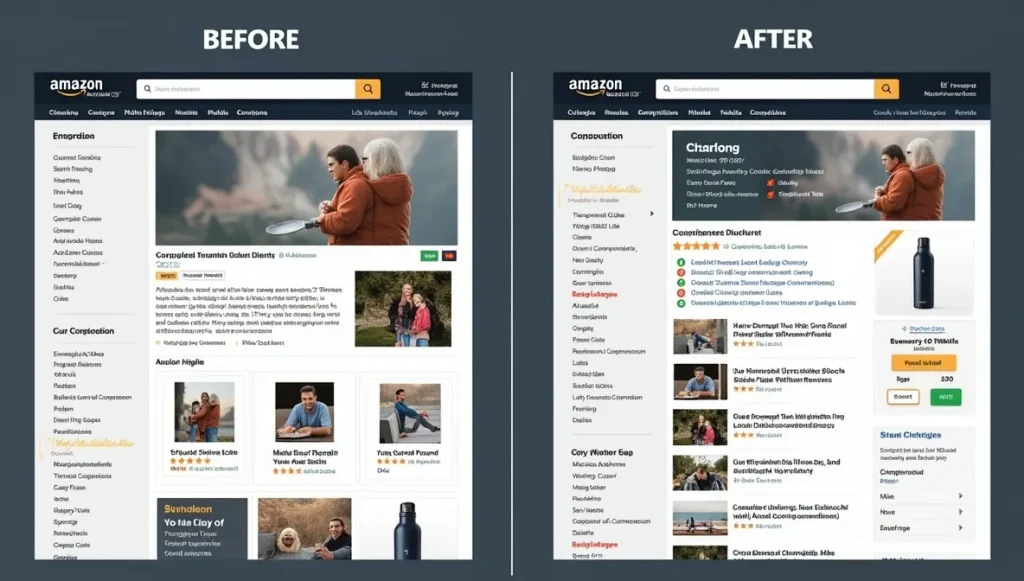
The 25-Point Amazon Listing Audit Checklist
Use this Amazon listing audit checklist for priority ASINs at least quarterly. Also run it after a sudden ranking decline, a conversion drop, a major policy notification, a competitor shift, or a product update so the review matches the situation.
1. Check Title Compliance and Clarity
Your title must help a shopper identify the product quickly. It should not look like someone threw a keyboard into a blender, so keep it clear from the start.
For non-media categories, Amazon currently requires titles of 75 characters or fewer, including spaces. Avoid promotional claims, excessive repetition, and prohibited special characters.
Audit questions:
- Is the title under the applicable character limit?
- Does it include brand, product type, and the most important differentiator?
- Is the title easy to scan on mobile?
- Does it avoid filler, keyword stuffing, and awkward phrasing?
- Does it match the actual product and selected variation?
2. Review Item Highlights
Item Highlights give you room to communicate important details that no longer fit in a short title. To keep them useful, Amazon recommends writing this content as comma-separated phrases rather than full sentences.
Use the field for useful details such as:
- Materials
- Fit or compatibility
- Size or capacity
- Recommended use case
- Important feature or construction detail
Example:
Weak: “Premium quality bottle that is perfect for people who enjoy traveling, working out, and drinking water every day.”
Better Item Highlights: “24 oz capacity, double-wall stainless steel, leak-resistant lid, fits standard cup, holders”
3. Test the Main Image
Your main image is the storefront window. It is not merely a compliance box to tick, and that is why it deserves a closer look.
Audit it for:
- Clean white background where required
- Accurate representation of the product
- Large, clear product visibility
- Strong contrast in search results
- Correct quantity and included accessories
- No prohibited text, badges, props, or misleading elements
- Better visual appeal than the first-page competitors
Ask yourself: if your product appeared beside nine alternatives, would a shopper notice it in one second?
4. Audit Secondary Images
Secondary images should answer questions before shoppers need to ask them. That means the image stack should guide shoppers through the product.
A strong image stack usually includes:
- Product overview or hero image
- Key benefit infographic
- Size, dimensions, or fit guide
- Materials or construction detail
- Lifestyle use case
- “What is included” visual
- Comparison chart or differentiation visual
- Setup, care, or compatibility image
- Video, if available
For an Amazon image compliance audit, check whether every visual is truthful, readable on mobile, and consistent with category requirements. Then use those findings to refine the image set.
5. Inspect Mobile Readability
Many sellers design images on a large monitor, then forget that shoppers are squinting at a phone while standing in a grocery-store line. That gap is exactly why mobile readability matters.
Check every graphic on a mobile device:
- Can you read the text without zooming?
- Does each image communicate one main point?
- Is the important information visible in the first few seconds?
- Do your visuals explain the product faster than your bullets do?
[Insert image here: A close-up split-screen of a smartphone displaying an Amazon listing image carousel. One side has cluttered, tiny text; the other side has clean, mobile-first infographics. Use it within the image-audit section.]
6. Rewrite Bullets for Buyers
Your bullets should not read like product specs copied from a factory spreadsheet.
Good bullets combine feature, benefit, proof, and use case.
Use this simple pattern:
Feature → buyer benefit → why it matters
Example:
Weak: “Made with 18/8 stainless steel.”
Better: “BUILT FOR DAILY USE — Food-grade 18/8 stainless steel resists odors and flavor transfer, so your water tastes like water, not yesterday’s iced coffee.”
Keep claims accurate. Avoid medical promises, unsupported superlatives, competitor references, and words likely to create policy trouble, so the copy stays safe and consistent.
7. Review Description and A+ Content
An Amazon A+ Content audit should check whether your visual content answers buyer objections, explains differentiation, and supports the decision journey. From there, look for the details that reinforce that story.
Look for:
- Clear brand positioning
- Product features explained in plain language
- Lifestyle context
- Comparison modules where appropriate
- Compatibility details
- Care instructions
- Trust-building information
- Consistent design and messaging
- No conflicting claims between A+ Content and bullets
A+ Content should not be a mood board with product photos. Pretty is nice. Helpful is better.
8. Audit Backend Keywords
Backend keywords, often called search terms, help Amazon understand relevance. They are not a secret room where you can dump every random phrase you found in a keyword tool.
An Amazon backend keyword audit should check for:
- Relevant synonyms
- Alternate spellings
- Use-case terms
- Audience-specific terms
- Spanish-language terms when relevant to your U.S. audience
- Terms not already covered naturally in visible content
- No repeated words
- No competitor brands
- No prohibited claims
- No irrelevant traffic bait
Remember: a keyword only helps if the product is genuinely relevant to the search.
9. Run a Keyword Indexing Audit
A keyword indexing audit compares the terms you want to rank for with the terms your listing actually supports.
Review:
- Core product keywords
- Long-tail use-case keywords
- Competitor keyword gaps
- Terms driving PPC conversions
- Terms in customer questions and reviews
- Terms missing from title, Item Highlights, bullets, attributes, or backend fields
Do not chase traffic for its own sake. A low-relevance keyword may bring clicks but hurt conversion. That is the ecommerce equivalent of inviting strangers to dinner and then realizing nobody likes the food.
10. Check Attributes and Browse Data
Amazon increasingly relies on structured data, not just visible copy.
Review:
- Product type
- Brand
- Color
- Size
- Material
- Department
- Compatibility
- Dimensions
- Intended use
- Package quantity
- Browse node
- Variation attributes
Missing or inaccurate attributes can reduce discoverability, confuse shoppers, or contribute to catalog issues.
11. Compare Your Offer
Your listing can be beautifully optimized and still lose because the offer is weak.
Audit:
- Current price
- Coupon or promotion visibility
- Delivery promise
- Inventory level
- FBA versus FBM experience
- Buy Box share
- Bundle value
- Variation pricing logic
- Competitor price positioning
Price is not just a number. It is a story about value. Make sure the page supports the price you ask people to pay.
12. Review Ratings and Reviews
Reviews are free customer research. Read them like a detective, not like a person nervously refreshing their phone at midnight.
Group reviews into themes:
- Product quality
- Packaging
- Ease of use
- Sizing
- Durability
- Missing instructions
- Misleading expectations
- Compatibility problems
- Shipping damage
- Feature requests
Then use those patterns to improve your listing, product instructions, images, packaging, or product itself.
13. Inspect Returns and Customer Questions
High return rates often reveal a “promise versus reality” problem.
Review:
- Return reasons
- Customer Q&A
- Negative review language
- Support tickets, when available
- Common confusion about dimensions, setup, fit, or what is included
If buyers keep asking the same question, your listing is leaving money on the table.
14. Audit Competitor Listings
An Amazon competitor listing analysis is not about copying competitors. It is about understanding the shelf.
Compare your top competitors on:
| Factor | What to look for |
| Main image | Product size, framing, color contrast, visual clarity |
| Title | Category language, differentiation, readability |
| Item Highlights | Use of materials, use cases, and high-value details |
| Bullets | Benefits, proof, objections addressed |
| Images | Sequence, lifestyle context, comparison visuals |
| A+ Content | Brand story, comparison chart, design quality |
| Reviews | Common praise and complaints |
| Price | Perceived value, coupon use, bundle strategy |
| Variations | Choice architecture and review consolidation |
| Offer | Delivery speed, stock status, Buy Box stability |
Look for gaps you can own. If everyone says “durable,” perhaps your page should prove durability. If everyone uses sterile white-background images, maybe your secondary images can show the product solving a real-life problem.
15. Review PPC Search-Term Data
A PPC and listing audit is one of the most practical ways to stop your ads and listing from arguing with each other.
Advertising reports can show:
- Queries that generate sales
- Terms receiving clicks but not converting
- Search terms your listing does not clearly support
- High-cost keywords that need better landing-page relevance
- New customer-language opportunities
If you bid on “compact travel coffee mug,” but your listing never clearly shows size, lid security, cup-holder fit, or travel use, you are paying for an awkward first date.
16. Measure Sessions and Conversion
At minimum, review:
- Sessions
- Unit-session percentage
- Ordered product sales
- Organic rank for priority terms
- Ad click-through rate
- Ad conversion rate
- Return rate
- Review rating
- Buy Box percentage
- Inventory availability
You need a baseline before making major changes. Otherwise, every update becomes a guessing game.
17. Check Variation Relationships
A poorly built variation can create confusion, separate reviews, or even trigger catalog problems.
Audit:
- Is the variation theme valid?
- Are child ASINs truly related?
- Are color, size, style, pack count, and model differences clear?
- Do product images match each variation?
- Is the parent-child structure helping shoppers choose?
18. Screen for Suppression Risks
A listing suppression audit looks for obvious issues that can make an ASIN inactive, hidden, or difficult to sell.
Common risk areas include:
- Missing mandatory attributes
- Improper titles
- Image defects
- Incorrect categorization
- Unsupported claims
- Restricted-product wording
- Incomplete compliance documentation
- Invalid variations
- Conflicting product information
An audit cannot guarantee that Amazon will never suppress a listing. Some issues are account-specific or visible only in Seller Central. But catching visible gaps early is far cheaper than discovering them during a holiday sales week.
19. Review Category-Specific Requirements
Do not apply the same audit template to a supplement, toddler toy, phone charger, and linen shirt. That is like using the same dress code for a black-tie wedding and a beach volleyball match.
Examples:
- Supplements: Ingredients, warnings, compliant claims, dosage clarity
- Beauty: Shade representation, ingredients, use instructions, before-and-after claim caution
- Apparel: Size chart, fit guidance, fabric, care details, variation accuracy
- Electronics: Compatibility, technical specs, safety information, included components
- Home goods: Dimensions, material, installation, care, room context
20. Check Brand Consistency
Your listing should feel like it belongs to one brand, not a group project completed by five freelancers who never met.
Review consistency across:
- Logo usage
- Tone of voice
- Image style
- Color palette
- Claim language
- Packaging
- A+ Content
- Storefront
- Sponsored Brand creative
21. Look for AI-Shopping Readiness
Amazon shopping is moving toward clearer, more structured product information. Whether a customer uses standard search, filters, comparisons, or AI-led discovery, ambiguity is your enemy.
Audit whether your listing clearly answers:
- What is it?
- Who is it for?
- What problem does it solve?
- What is it made from?
- What size is it?
- What does it work with?
- What is included?
- How is it used?
- Why is it different?
The listings that win are not always the ones with the most words. They are the ones with the least confusion.
22. Prioritize by Impact
Not every issue deserves equal attention.
Use a simple priority system:
| Priority | Meaning | Example |
| High | Hurts compliance, conversion, or discoverability now | Title non-compliance, weak main image, missing required attribute |
| Medium | Limits growth but is not urgent | Missing keyword theme, weak comparison chart |
| Low | Nice enhancement | Minor copy refinement, extra lifestyle image |
Start with the leaks, not the paint color.
23. Build an Implementation Plan
After the audit, create a sequence:
- Fix compliance and suppression risks
- Correct inaccurate data and attributes
- Improve title, Item Highlights, and keyword coverage
- Upgrade images and mobile clarity
- Improve bullets, A+ Content, and objection handling
- Align PPC targets with listing relevance
- Monitor metrics for 2–4 weeks before making another major change
Avoid changing every field at once unless a compliance issue requires it. Controlled changes make it easier to learn what helped.
24. Document Before-and-After Results
Take screenshots. Export data. Save prior copy. Record the date of each important update.
Track:
- Search term rank
- Sessions
- Unit-session percentage
- Sales
- Ad performance
- Returns
- Review trends
- Buy Box share
- Inventory status
Without documentation, you will remember results emotionally, not accurately. And emotions are excellent for movie nights, less ideal for catalog management.
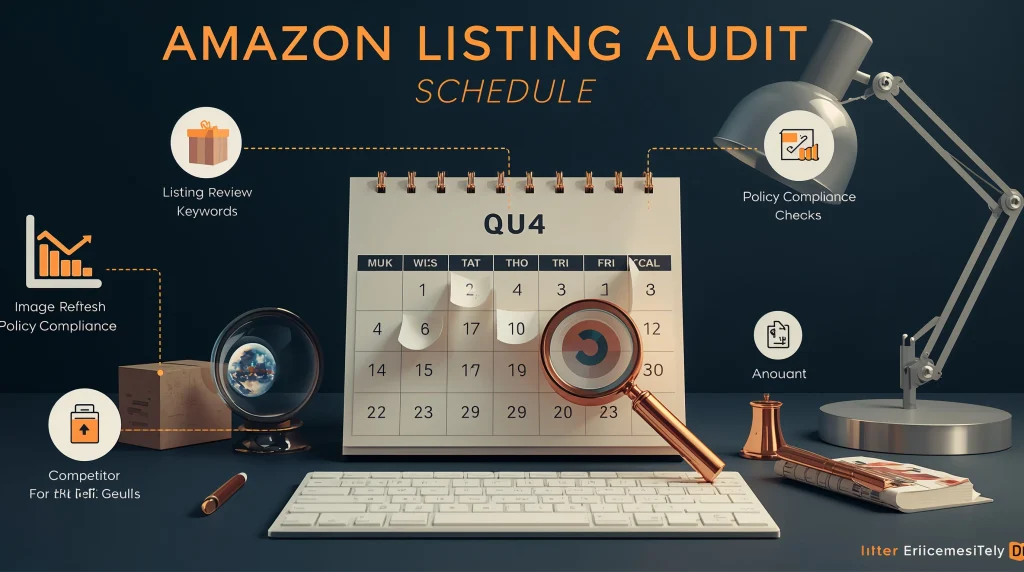
25. Schedule the Next Audit
For most priority ASINs, run an Amazon listing audit at least quarterly.
Audit sooner when:
- Sales or conversion decline sharply
- A new competitor appears
- Amazon changes category rules
- You update packaging or product features
- A new variation is launched
- PPC performance becomes unstable
- You receive a policy warning
- Reviews reveal repeated buyer confusion
Amazon Listing Audit Tools vs. Services
You can audit much of the listing yourself with Seller Central, Brand Analytics where available, Search Query Performance, advertising reports, review mining, and competitor research. From there, you can identify many issues without outside help.
But some situations call for outside help—especially when you manage a large catalog, face suppression risk, need technical Amazon SEO work, or want implementation support rather than a generic score. In those cases, an outside provider can add focus and follow-through.
| Option | Best for | What to expect |
| Self-audit | New sellers and focused ASIN reviews | Low cost, more time required |
| Audit tool | Quick public-page checks and recurring monitoring | Fast diagnostics, limited account-level visibility |
| Specialist audit | High-value ASINs and conversion issues | Human judgment, prioritized recommendations |
| Full-service agency | Brands needing audit plus implementation | Copy, creative, PPC, catalog, and ongoing support |
| Account-level audit | Large catalogs or complex account issues | Listings, ads, inventory, Buy Box, compliance, and operations review |
Services worth researching
The right provider depends on your catalog size, category risk, data-access comfort, and whether you need diagnosis only, hands-on implementation, or ongoing monitoring. These options fit different needs.
- Amazon Listing Audit suits sellers who want a fast, self-serve public ASIN check and ongoing monitoring. Its published offering covers listing content, compliance-related issues, Buy Box status, and pricing signals. Confirm current features and pricing directly before subscribing.
- AMALYZE is better for teams looking for software-led, ongoing listing analysis across titles, bullets, descriptions, images, A+ Content, and backend keywords. Confirm the exact modules included before choosing it.
- Marketplace Ad Pros may suit catalog owners focused on AI-supported quality checks, suppression risk, compliance monitoring, and catalog-level issue prioritization. Confirm whether the service includes hands-on remediation or reporting only.
- Seller Candy is a service-oriented option for sellers who want specialist support, proactive account-health attention, and implementation help. Confirm which tasks they handle directly and which they only recommend.
- LeadCrunch is worth considering when you want a human-led review, an action plan, and implementation support. Confirm whether that support is included in the base offer or available separately.
- Listingtonic may fit a single-ASIN seller looking for a defined audit with rewrite suggestions and a faster turnaround. Confirm whether the audit covers strategy, copy only, or broader listing issues.
- ZipZap Agency is a better fit for brands that need SEO, creative, competitor, conversion, A+ Content, and PPC alignment reviewed together. Confirm the depth of review in each area before engaging them.
- Data4Amazon is a stronger fit for larger catalogs or broader account-level diagnostics. Confirm whether the scope covers listing-level fixes, catalog issues, or both.
- Mr. Prime may be a good fit for a fixed-price, single-listing review; request a sample deliverable and evaluate claims carefully. Confirm what the fixed price includes before proceeding.
- eBizAdvisors may appeal to sellers who want a structured diagnostic checklist and a prioritized remediation plan. Confirm whether they only diagnose issues or also support implementation.
Do your homework before hiring. Ask for a redacted sample audit. Ask exactly what data they need. Ask whether they will implement changes. Ask how they handle regulated categories. And ask what happens after the PDF lands in your inbox. These questions help you compare providers more clearly and define the scope of service.
Frequently Asked Questions
What is an Amazon listing audit?
An Amazon listing audit is a detailed review of an ASIN or product detail page. It checks SEO, keywords, title structure, Item Highlights, images, bullet points, A+ Content, backend terms, attributes, pricing, reviews, competitor positioning, and compliance risks.
Why do I need an Amazon listing audit?
You need one when your listing is not ranking, attracting clicks, converting visitors, winning the Buy Box, or meeting its sales potential. An audit can also identify content and policy gaps before they become suppression problems.
What does an Amazon listing audit include?
A thorough review includes keyword research, title and bullet-point optimization opportunities, image and A+ Content analysis, backend keyword checks, competitor research, pricing and offer review, review analysis, variation setup, PPC search-term insights, and compliance screening.
How often should I audit my Amazon listings?
Audit your priority ASINs at least quarterly. Also audit immediately after a noticeable ranking or conversion decline, a policy notification, a competitor change, a product update, a category requirement change, or a major PPC performance shift.
Can an audit improve Amazon organic rankings?
The audit itself doesn’t improve rankings; it identifies issues that may be holding a listing back. Implementing relevant changes may improve keyword relevance, indexing, click-through rate, and conversion, but no one can credibly guarantee a ranking result.
What are backend keywords on Amazon?
Backend keywords are hidden search terms entered in Seller Central. They help Amazon understand relevance, but don’t repeat the same words excessively or include irrelevant phrases, prohibited claims, or competitor brand names.
Does an Amazon listing audit review images?
Yes. A complete audit evaluates the main image for policy and category fit, then checks secondary images, infographics, lifestyle visuals, comparison charts, video, mobile readability, and whether visuals answer likely buyer objections.
What is listing suppression, and can an audit prevent it?
A suppressed listing may be removed from search or sale eligibility because of missing data, prohibited content, image problems, policy issues, or category-specific requirements. An audit can flag many risks, but it cannot guarantee prevention because some issues are account-specific or determined by Amazon’s internal systems.
What metrics should I review during an audit?
Review sessions, unit-session percentage, sales, organic keyword rank, ad click-through rate, ad conversion, return rate, Buy Box share, inventory availability, review rating, and competitor benchmarks.
Can I perform an Amazon listing audit myself?
Yes. You can use Seller Central reports, advertising data, Search Query Performance, Brand Analytics where available, customer reviews, and competitor analysis. A specialist may be worthwhile for large catalogs, technical SEO, compliance concerns, or detailed implementation work, especially when self-audit findings need follow-through.
What is the difference between an audit and listing optimization?
An audit diagnoses problems and prioritizes fixes. Amazon listing optimization is the implementation phase: rewriting copy, updating keywords, redesigning images, improving A+ Content, correcting attributes, and aligning the offer and PPC strategy.
Will changing a listing hurt its current rank?
Well-planned, evidence-based updates are designed to improve relevance and conversion. However, sudden or excessive changes to titles, categories, variations, or core attributes can create temporary volatility. Make measured changes, preserve records, and monitor results.
Should PPC data be included in an Amazon listing audit?
Yes. PPC search-term reports show which customer queries drive clicks and sales, which terms are expensive but unproductive, and whether your listing content supports the paid traffic you are buying.
How long does a professional Amazon listing audit take?
It depends on the scope. A single-ASIN review may take one to several business days. A catalog-wide, advertising, and account-health audit can take longer. Automated scans may be fast, but human analysis often provides more context and prioritization.
What should I receive after an audit?
You should receive an ASIN-by-ASIN scorecard, evidence of findings, keyword and competitor insights, severity rankings, recommended edits, and a clear implementation order. Avoid providers whose deliverable is only a generic list of tips.
Final Thoughts
A great Amazon listing is not written once and forgotten. Inspect, improve, measure, and sharpen it as your market changes. That ongoing cycle is what keeps the listing effective.
Before your next ad push, product launch, seasonal campaign, or copy rewrite, run an Amazon listing audit. Start with the basics: title compliance, Item Highlights, main image, keyword relevance, buyer objections, pricing, and policy risks. From there, move into deeper work like PPC alignment, competitor gaps, A+ Content, and catalog structure. Each step builds on the last and creates a clearer path forward.
The goal is not to stuff in more keywords or make your listing louder.
The goal is to make it clearer, more trustworthy, easier to compare, and easier to buy.
Your next step: Choose your top three revenue-driving ASINs, complete the 25-point checklist, and build a simple “high, medium, low” action plan. Fix the biggest leaks first. Then move to the next priorities. Your listing does not need a dramatic makeover. It needs fewer reasons for shoppers to leave. That makes the next move clear and practical.