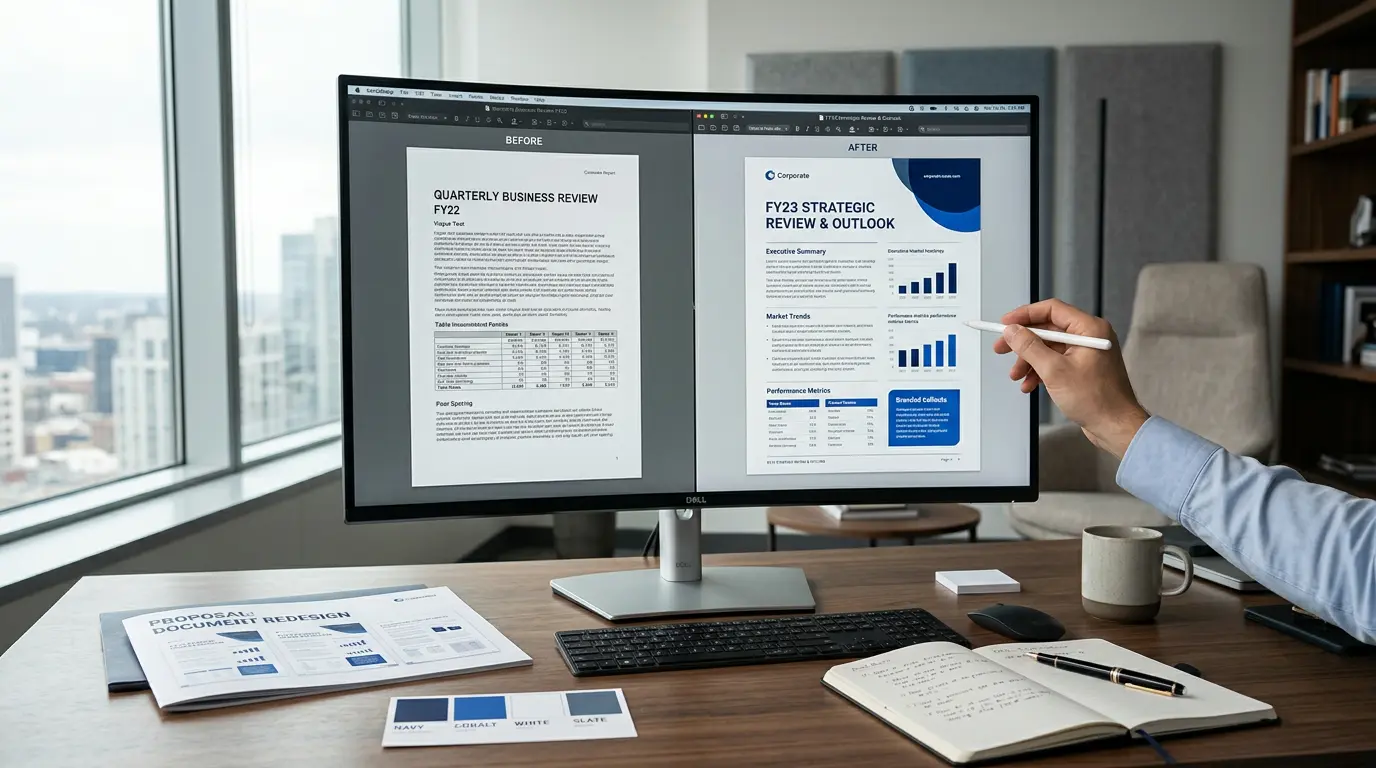
A document can contain excellent information and still look like it was assembled during a power outage.
Dense paragraphs, random fonts, weak headings, confusing tables, stretched logos, and page breaks in all the wrong places can make even a professional business appear careless.
Document redesign services help businesses transform existing files like reports, proposals, manuals, presentations, PDFs, and business templates into clearer, more attractive, easier-to-use, and easier-to-read communication tools aligned with your brand. These services may also include content organization, visual system development, file conversion, and final delivery in the formats you need.
The goal is not decoration for decoration’s sake. A strong redesign helps readers find important information faster, understand complex ideas more easily, and feel greater confidence in your business.
Think of it like renovating an office. The building stays in the same location, but everything feels cleaner, smarter, and easier to use.
This guide explains what document redesign includes, which document types benefit most, how much the process may cost, and how to choose the right provider.

Table of Contents
What Are Document Redesign Services?
Document redesign services improve the structure and visual presentation of an existing document without necessarily rewriting all of its content. They may also include reorganizing information, standardizing formatting, refining visuals, and preparing files for practical use across print and digital formats.
A redesign specialist usually works with documents that already contain valuable information but need better presentation.
A professional redesign may improve:
- Page layout.
- Typography and font consistency.
- Headings and visual hierarchy.
- Brand colors and graphic elements.
- Tables, charts, and diagrams.
- Headers, footers, and page numbers.
- Cover pages and section dividers.
- Images, icons, and captions.
- Table of contents navigation.
- Print and screen readability.
- Accessibility and logical reading order.
Think of it as renovating a house. The information is the building, while the layout, typography, visual hierarchy, and branding are the rooms, lighting, and furniture. You may not need to rebuild the entire house, but you probably want people to stop bumping into the coffee table.
A redesign can preserve the original message while making the document feel more intentional and professional.
The same principle applies to business documents: design should serve the reader first.
The goal is simple:
Make the document easier to understand and more aligned with your brand.
A good redesign does not randomly decorate a document. It creates a visual system where every element has a purpose.
A heading tells readers where they are.
A chart explains information faster.
A highlight box draws attention to important points.
A consistent style makes the company look organized.
What Documents Can Be Redesigned?
Most document redesign providers work across business, marketing, academic, and internal communication document types.
| Document type | Typical redesign goals |
| Business proposals | Improve scannability, trust, differentiation, and calls to action |
| Annual reports | Present financial and organizational information clearly |
| White papers | Make research easier to follow and visually credible |
| Sales presentations | Strengthen the story, pacing, and visual impact |
| Training manuals | Improve navigation, instructions, and learner engagement |
| Policy documents | Create consistent sections, numbering, and reference points |
| Corporate reports | Organize complex information for executives and stakeholders |
| Brochures and eBooks | Create a polished marketing and publishing experience |
| RFP responses | Make required information easier for evaluators to find |
| PDF forms | Improve usability, fields, instructions, and accessibility |
| Word templates | Build reusable, branded files for future teams |
| Pitch decks | Clarify the business story for investors, partners, or buyers |
The best provider depends on the document type, not just the word “redesign.” A presentation specialist may be ideal for an investor deck, while a document-formatting team may be better for a 100-page technical manual.
What Is Included in a Document Redesign Project?
Every provider has a different process, but a typical project may include the following stages and deliverables.
1. Document audit
The designer reviews the existing file and identifies problems such as:
- Inconsistent fonts.
- Weak spacing.
- Repeated formatting errors.
- Poor page breaks.
- Unclear heading levels.
- Overloaded tables.
- Unbalanced pages.
- Missing navigation.
- Inconsistent brand elements.
This first review is important because redesigning a document without understanding its problems is like repainting a car with a flat tire.
2. Visual direction
The provider establishes a visual system for the document. This may include:
- Primary and secondary fonts.
- Heading styles.
- Brand colors.
- Accent colors.
- Image treatment.
- Icon style.
- Chart colors.
- Callout boxes.
- Section divider layouts.
If your company already has brand guidelines, the designer should apply them consistently. If not, the provider may create a practical document style system based on your existing logo, website, audience, and industry.
3. Page and section redesign
The designer then applies the system to the actual document. This may involve:
- Creating a new cover page.
- Redesigning section openers.
- Rebuilding page layouts.
- Improving paragraph spacing.
- Standardizing captions and labels.
- Adding headers and footers.
- Creating page numbering.
- Reworking tables and charts.
- Improving image placement.
4. Editable-file production
You should clarify which files you will receive. Possible formats include:
- Microsoft Word.
- PowerPoint.
- Google Slides.
- Google Docs.
- Adobe InDesign.
- Canva.
- Editable PDF.
- Print-ready PDF.
- Web-optimized PDF.
A beautiful PDF is useful. A beautiful PDF that nobody can update six months later is less useful.
5. Quality assurance
A careful final review checks:
- Spelling and formatting consistency.
- Page numbers.
- Links.
- Table of contents.
- Image quality.
- Margins and bleeds.
- Print output.
- Mobile and desktop readability.
- Accessibility features.
- File naming and version control.
Document Redesign vs. Document Formatting
These terms are related, but not exactly the same, and the scope of service can vary by project.
| Document formatting | Document redesign |
| Fixes fonts, spacing, styles, and page breaks | Rethinks the complete visual presentation |
| Focuses on technical consistency | Focuses on hierarchy, flow, branding, and usability |
| May use an existing template | May create a new visual system |
| Usually involves lighter layout changes | Can involve major page and section changes |
| Best for cleanup and standardization | Best for outdated, confusing, or weak documents |
For example, professional document formatting services may correct inconsistent headings and repair a table of contents. A complete redesign may also introduce a new cover page, color system, section layouts, data visualizations, icons, and branded page templates.
Some projects need both. Formatting creates order; redesign creates a stronger reading experience for the document type at hand.
10 Signs Your Business Needs a Redesign
Your documents may need professional help if:
- Every department uses a different version of the company template.
- Your proposal looks different every time someone edits it.
- Important information is hidden inside long paragraphs.
- Tables are difficult to read on screen.
- Charts contain too many colors, labels, or data points.
- Your PDF looks outdated compared with your website.
- Employees spend hours fixing the same formatting problems.
- Readers regularly ask where to find basic information.
- Your sales team avoids sending certain documents because they look unpolished.
- A document works in print but breaks when viewed on a laptop or phone.
A common warning sign is the “Frankenstein file”: one document containing five fonts, three heading systems, two logo sizes, and a mysterious page 17 that refuses to behave.
How Redesign Improves Business Communication
Better readability
Clear headings, shorter text blocks, useful spacing, and well-designed callouts help readers move through a document without feeling trapped.
Stronger brand perception
A consistent document can make a business appear more organized, reliable, and established. This matters particularly in proposals, financial reports, sales materials, and executive communications.
Faster information retrieval
Executives, buyers, clients, and employees rarely read every word in order. They scan. Strong document hierarchy helps them locate:
- Key numbers.
- Deadlines.
- Recommendations.
- Pricing.
- Risks.
- Benefits.
- Next steps.
Better decision-making
Charts and tables should not merely display information. They should help readers understand what the information means.
A good chart can replace a paragraph of explanation. A poor chart can turn a simple point into a small museum exhibit dedicated to confusion.
Greater consistency
Reusable Word templates, PowerPoint masters, and branded page components allow teams to produce better document types without starting from a blank page every time.
Business Proposal and RFP Redesign
Proposal design services are especially valuable because proposals often influence high-value decisions.
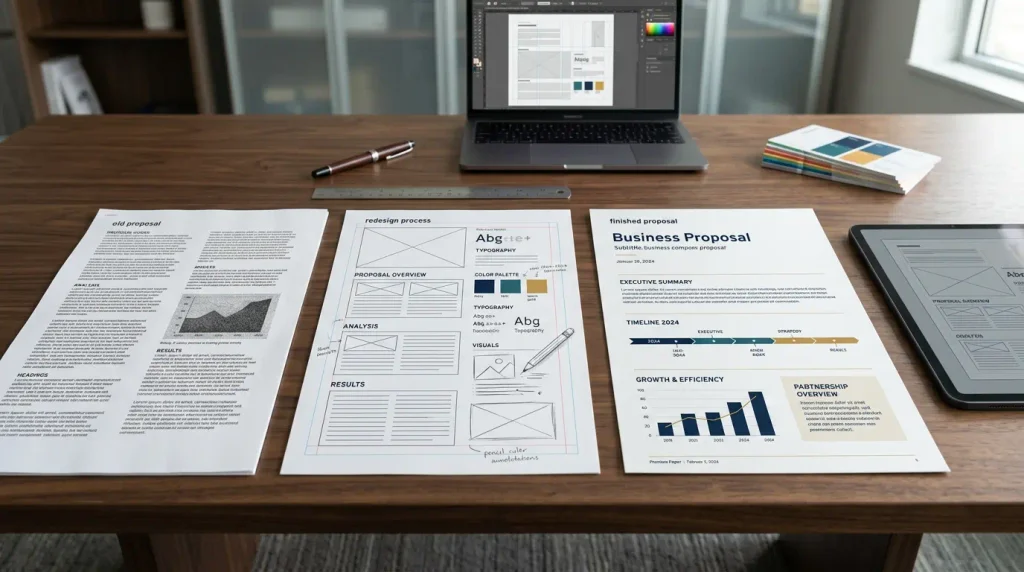
A strong proposal redesign may improve:
- Executive summaries.
- Pricing sections.
- Client challenges.
- Case studies.
- Team biographies.
- Timelines.
- Deliverables.
- Differentiators.
- Calls to action.
- Compliance matrices.
For RFP response document types, the design must balance creativity with strict requirements. Required information should remain easy to locate, while the document still feels polished and distinct.
A useful proposal structure might include:
- A clear cover page.
- A short executive summary.
- A visual overview of the solution.
- A section addressing the client’s needs.
- A clear scope and timeline.
- Relevant proof or case studies.
- Pricing and assumptions.
- A simple next-step section.
Corporate Reports, White Papers, and Annual Reports
Reports often contain valuable information but suffer from heavy text, repetitive tables, and weak navigation.
Corporate report design services can improve:
- Section organization.
- Financial tables.
- Executive summaries.
- Data visualizations.
- Charts and diagrams.
- Pull quotes.
- Case studies.
- Methodology sections.
- Footnotes and references.
- Print and digital output for report document types.
Annual reports require particular care because they serve several audiences at once. Investors may want financial information, employees may look for organizational updates, and stakeholders may care about impact, sustainability, or future direction.
A successful report redesign creates different levels of access:
- A quick overview for busy readers.
- Clear summaries for non-specialists.
- Detailed evidence for readers who want depth.
- Navigation for readers looking for specific information.
For data-heavy work, look for a provider with genuine experience in chart redesign and visual storytelling. A designer who only changes colors may not be equipped to improve a complex financial or research report.
Microsoft Word and PDF Redesign
Can you redesign a Microsoft Word document?
Yes. Word document formatting services can improve an existing file using:
- Paragraph styles.
- Structured heading levels.
- Dynamic tables of contents.
- Branded cover pages.
- Reusable templates.
- Page layouts.
- Captions.
- Headers and footers.
- Numbered sections.
- Form fields.
- Cross-references.
The important phrase is structured styles. Manually changing every heading may make one file look correct, but it creates maintenance problems later. Proper styles make the document easier to edit and update.
Can an existing PDF be redesigned?
Yes, but the process depends on the PDF’s condition.
If the original Word, PowerPoint, or InDesign file is available, redesign is usually more efficient. If the only available file is a flattened or scanned PDF, the designer may need to recreate the document in another program before producing a new PDF.
Ask whether the final delivery includes:
- A redesigned PDF.
- The recreated editable source file.
- Fonts and linked assets.
- A web version.
- A print-ready version.
- An accessible version.
Do not assume that an editable file is included. Put it in the project agreement.
Accessibility Should Be Part of the Brief
Accessibility is not a decorative extra. It determines whether people who use screen readers, keyboard navigation, magnification, or other assistive technologies can access the document.
A document accessibility pass may include:
- Logical heading structure.
- Correct reading order.
- Sufficient color contrast.
- Descriptive alternative text.
- Accessible tables.
- Tagged PDF structure.
- Meaningful link text.
- Readable font sizes.
- Form-field labels.
- Avoidance of color-only instructions.
Professional accessibility providers commonly work with PDF, Word, PowerPoint, and other office documents. Some services also test files against standards such as WCAG, PDF/UA, and Section 508, depending on the project and compliance requirements
If your document is used by government agencies, educational institutions, healthcare organizations, or large employers, discuss accessibility requirements before design begins.
How Much Do Document Redesign Services Cost?
There is no universal price. Cost depends on scope rather than page count alone.
| Pricing factor | Why it affects cost |
| Number of pages or slides | More content requires more production time |
| Document complexity | Tables, charts, forms, and references increase effort |
| Source-file quality | Clean editable files are easier than scanned PDFs |
| Branding requirements | New visual systems require more strategy |
| Content editing | Copywriting and proofreading are separate services |
| Data visualization | Rebuilding charts takes specialist work |
| Revision rounds | Additional feedback increases production time |
| Accessibility | Remediation and testing add specialist effort |
| Turnaround time | Rush delivery may carry a premium |
| Editable deliverables | Rebuilding source files may require extra work |
Providers may charge:
- Per page.
- Per slide.
- Hourly.
- By project.
- Through a monthly retainer.
- Through a subscription or production plan.
For presentation work, 24Slides publicly distinguishes between fix-up, redesign, and redraw services, with different starting prices for each level. Its search result also describes rapid presentation delivery and editable slide formats
Treat public starting prices as reference points, not final quotes. A 20-page proposal with plain text is a very different project from a 20-page report with custom charts, illustrations, accessibility requirements, and five revision rounds.
How Long Does a Redesign Take?
Turnaround depends on:
- Page count.
- Number of layouts.
- Amount of content cleanup.
- Number of charts and tables.
- Brand-guideline requirements.
- Availability of source files.
- Number of stakeholders.
- Revision rounds.
- Whether writing or editing is included.
A small Word template may take only a few business days. A major report or presentation system may take several weeks.
Some presentation providers promote 24-hour services for defined projects, but fast delivery usually works best when the content, brand assets, and design direction are already clear
The fastest way to delay a project is to send a vague brief, three outdated logos, and feedback from eight people who all have different definitions of “modern.”
U.S. Providers to Consider
The following providers represent different types of document and presentation needs. This is a relevance-based shortlist, not a universal ranking.
| Provider | Best fit |
| Duarte | High-stakes presentations, executive communication, storytelling, and keynotes |
| 24Slides | Fast PowerPoint and Google Slides redesign with recurring support |
| Ethos3 | Content-first presentation design and leadership communication |
| Stinson Design | Enterprise presentation systems, event presentations, and templates |
| JustDocumentz | Word files, reports, proposals, manuals, legal documents, and PDF forms |
| Proofed | Professional formatting, reports, white papers, tables, and page cleanup |
| Flatworld Solutions | High-volume outsourced document formatting |
Duarte describes services covering message strategy, storytelling, internal communication, presentations, and speaker coaching. 24Slides offers presentation design in PowerPoint and Google Slides and describes separate fix-up, redesign, and redraw options.
When comparing providers, review actual samples that resemble your project. A beautiful Keynote portfolio does not automatically prove experience with a 120-page compliance manual.
How to Choose the Right Service
Before hiring a provider, ask these questions:
Does the portfolio match your document type?
Look for examples involving proposals, reports, manuals, PDFs, presentations, or templates similar to yours.
Will you receive editable files?
Confirm the exact software and file types. “Source files included” should be written clearly in the quote.
Are writing and editing included?
Many design services improve layout but do not rewrite content. Confirm whether proofreading, copy editing, restructuring, and fact-checking are separate costs.
How is confidential information handled?
Ask about:
- NDAs.
- Secure file transfer.
- Access controls.
- Data retention.
- Subcontractors.
- Portfolio permissions.
- Client confidentiality.
How many revisions are included?
A clear revision policy prevents unpleasant surprises. Ask whether revisions apply to each page, each round, or the project as a whole.
Can the provider support accessibility?
If accessibility matters, ask whether the provider handles reading order, tags, alternative text, contrast, accessible tables, and testing.
What happens after delivery?
A good provider may offer template instructions, brand documentation, staff training, or ongoing production support.
A Practical Project Brief
You can make the process smoother by preparing:
- The current document.
- Editable source files.
- Logo files.
- Brand guidelines.
- Approved fonts.
- Color values.
- Image library.
- Intended audience.
- Primary business goal.
- Required output formats.
- Print specifications.
- Accessibility requirements.
- Examples you like.
- Examples you dislike.
- Deadline.
- Decision-maker and feedback process.
Also, explain what must not change. For example, legal wording, approved financial figures, citations, disclaimers, and contractual language may require strict preservation.
Frequently Asked Questions
1. What are document redesign services?
Document redesign services improve an existing document’s layout, typography, hierarchy, branding, graphics, formatting, and usability without necessarily rewriting all of its content.
2. What types of documents can be redesigned?
Common examples include business proposals, annual reports, white papers, corporate reports, manuals, brochures, sales collateral, pitch decks, Word templates, eBooks, and fillable PDF forms.
3. What is included in a document redesign project?
Deliverables may include revised layouts, font and color systems, headers and footers, page numbering, tables and charts, image placement, icons, editable templates, table of contents setup, and web- or print-ready files.
4. Can a document be redesigned to match brand guidelines?
Yes. A provider can either apply your existing brand guidelines or create a practical document style system that covers typography, color, imagery, charts, icons, and reusable page components.
5. Do document redesign services include copywriting?
Not always. Some providers focus on layout and design, while others offer copywriting, editing, proofreading, content strategy, and presentation storytelling. Confirm the scope before work begins.
6. Can document redesign improve accessibility?
Yes. Accessibility work may include heading structure, readable font sizes, color contrast, alternative text, accessible tables, logical reading order, PDF tags, and usable form fields.
7. Is document redesign useful for proposals and RFP responses?
Yes. Proposal redesign can improve scanning, highlight differentiators, organize case studies, and make important compliance information easier for evaluators to find.
8. Will I receive editable files?
That depends on the provider and agreement. Ask specifically for Word, PowerPoint, Google Slides, InDesign, Canva, or other source files if you need future editing.
9. How do I choose a document redesign service?
Review relevant portfolio examples, confirm software compatibility, ask about confidentiality and accessibility, clarify revision limits, request a detailed scope, and verify whether editing is included.
Conclusion
The best document redesign does more than add attractive colors. It makes information easier to find, understand, and trust.
Whether you need a polished business proposal, a reusable Word template, a clearer annual report, an accessible PDF, or a stronger PowerPoint presentation, start with the reader’s experience. Then choose a provider with the right combination of document expertise, brand judgment, technical skill, and production discipline.
Before requesting quotes, gather your source files, brand materials, goals, audience information, and delivery requirements. A clear brief will save time, reduce revisions, and produce a better final document.
Need to modernize an outdated report, proposal, presentation, or PDF? Compare providers, request relevant samples, and ask for a detailed redesign plan before you begin.
Affiliate & AI Content Disclosure:
Some links on this website may be affiliate links. If you click one and make a purchase, we may earn a commission at no additional cost to you. We only recommend products or services we believe may be useful to our audience.
Some content on this website may be created, assisted, edited, or enhanced using artificial intelligence (AI). AI-generated or AI-assisted content is reviewed where appropriate, but it may contain errors, omissions, or outdated information. To help you use it carefully, please verify important information independently before making decisions.