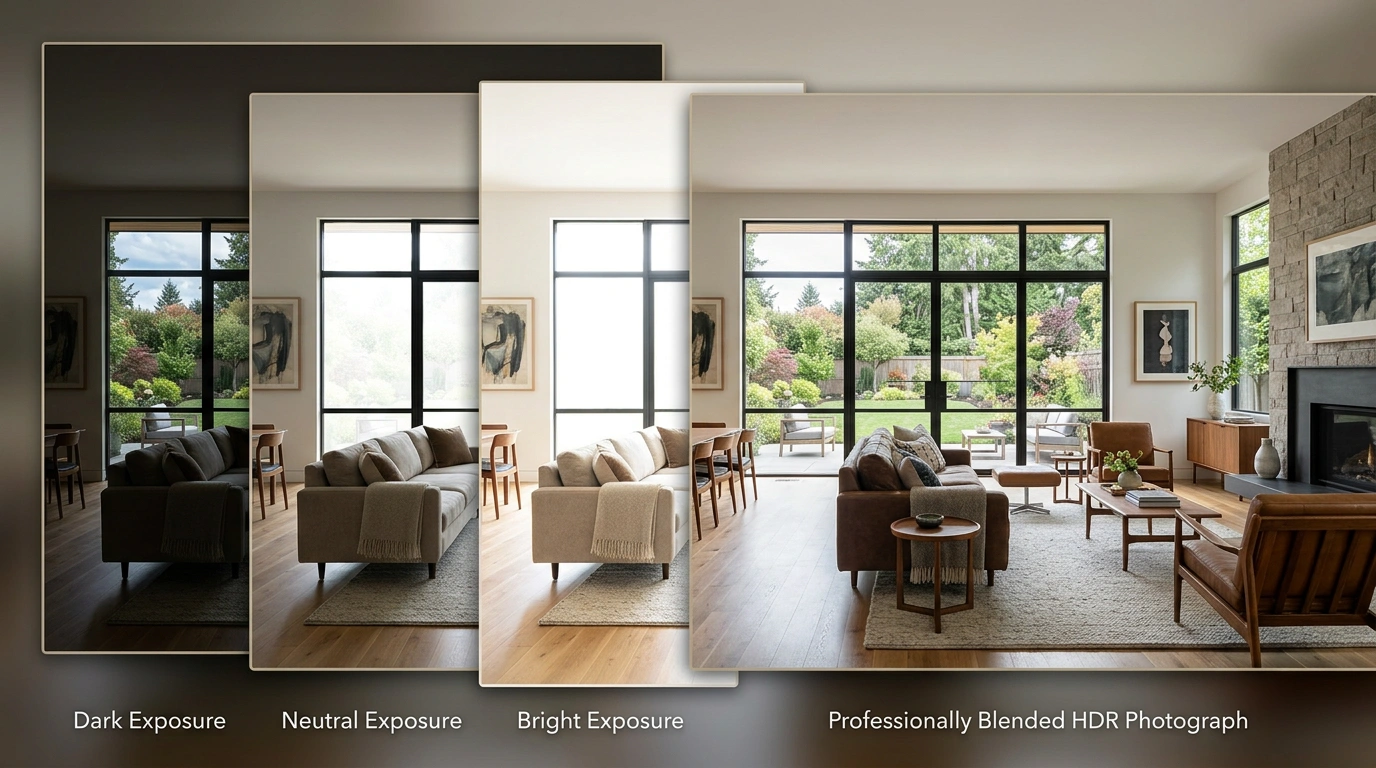
You have probably photographed a beautiful living room only to find a blown-out window, a gloomy corner, or a ceiling that looks like it belongs in a cave.
The gap is not your camera or your talent; it is the huge contrast between indoor shadows and outdoor daylight.
In this guide, I will explain how professional real estate HDR photo blending services turn bracketed exposures into clean, natural, listing-ready images without giving your property the radioactive “HDR glow.”
Table of Contents
Key Takeaways
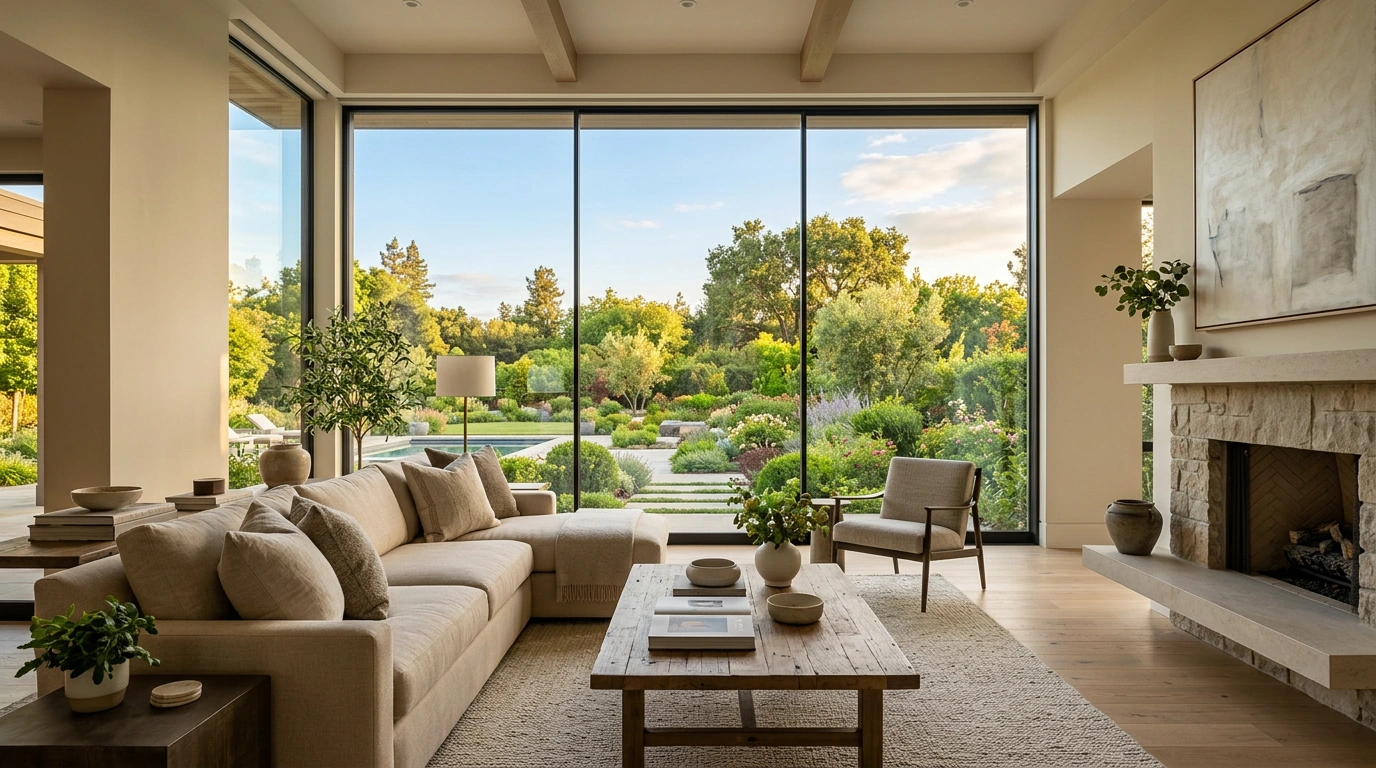
- Real estate HDR photo blending services combine multiple exposures of one room into a single balanced property image.
- Bracketed exposures of three to five images suit many residential interiors, while demanding scenes may require five to seven images.
- Manual HDR blending gives editors more control over windows, color, shadows, vertical lines, and unwanted artifacts than a basic automatic merge.
- Window pulls and window masking preserve outdoor views while keeping interior rooms bright and believable.
- Natural HDR editing avoids halos, neon grass, gray ceilings, crushed blacks, and the “plastic showroom” look.
- Professional listing visuals matter because 26% of prospective buyers ranked high-resolution photos as the most important listing feature in Zillow’s 2025 consumer research. — Source: Zillow Consumer Housing Trends Report, 2025
- A test batch is the safest selection method because it shows how an editor handles your own camera files, lighting problems, and brand style.
What Are Professional Real Estate HDR Photo Blending Services?
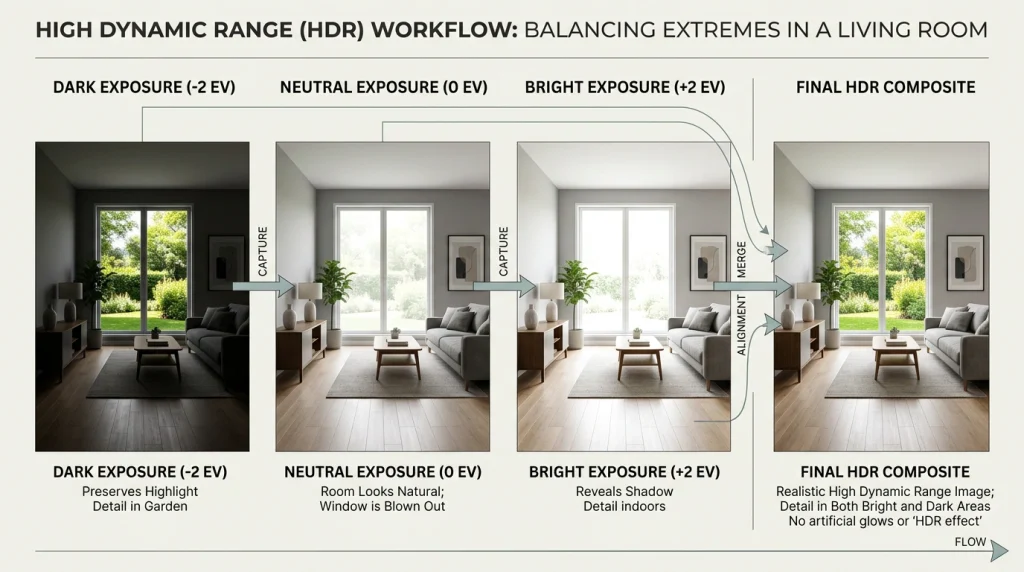
Professional real estate HDR photo-blending services merge several bracketed images of the same property scene into a single, natural-looking, correctly exposed final photo. For example, an editor may combine a darker frame that holds the view of the outside through a window with a brighter frame that reveals the sofa, cabinetry, and ceiling inside the room.
First, HDR means high dynamic range. Dynamic range is simply the difference between the darkest and brightest areas in an image. A sunny window and a darker frame can be combined with a brighter frame that reveals the sofa, cabinetry, and ceiling inside the room. A good real estate HDR photo editing workflow can include exposure blending, color correction, lens correction, vertical correction, window masking, alignment, deghosting, shadow recovery, highlight recovery, and basic cleanup.
For example, imagine photographing a lakefront property at noon. If you expose for the lake, the room becomes too dark. If you expose for the room, the lake turns into a bright white rectangle. HDR image blending services resolve that tug-of-war by combining useful information from several exposures into a single realistic scene.
How does HDR photo blending work for real estate photography?
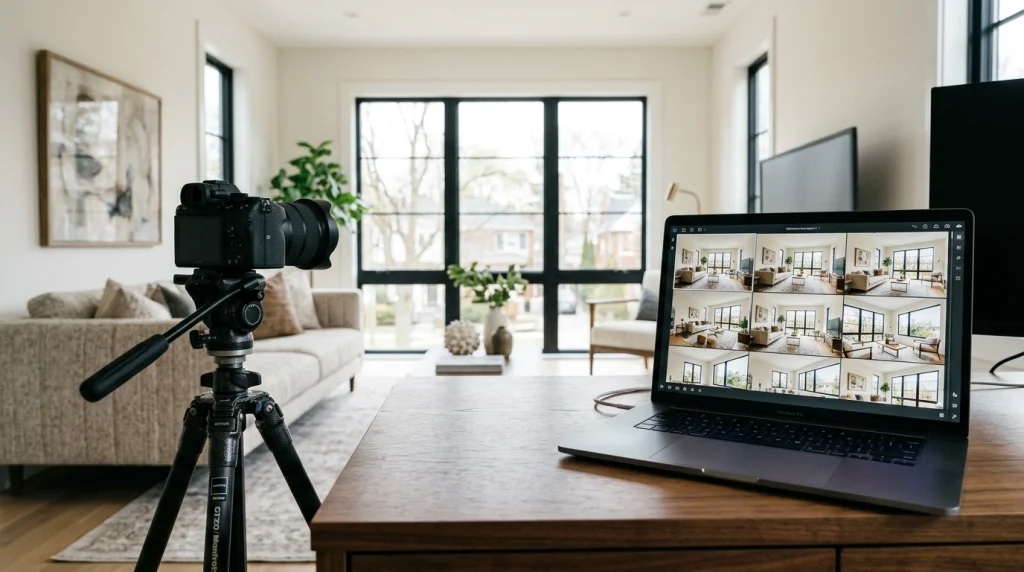
HDR photo blending works by aligning and merging bracketed exposures of the same composition, then selectively balancing highlights, shadows, colors, and window views. For example, you might shoot five tripod-mounted frames at different exposure values, then submit that set to an editor as RAW, DNG, or high-quality JPEG files.
Second, the editor identifies the best parts of each frame. A darker exposure can supply a clear sky and exterior view, while brighter exposures can reveal the kitchen island, lower cabinets, or dark hallway. The final image should look like one honest photograph, not five photos fighting in a trench coat.
In addition, the editor corrects visual problems caused by the shooting environment. Mixed tungsten, LED, and daylight can make white walls look orange, blue, or green in the same room. Real estate color correction balances those color casts so the property feels clean and consistent from image one to image thirty.
How many bracketed exposures are needed for HDR editing in real estate?
Three to five bracketed exposures are common for standard real estate HDR editing, while five to seven frames can help with difficult interiors, glass-heavy spaces, and very bright views. For example, a standard suburban living room may be covered with three brackets, whereas a two-story foyer with giant windows may benefit from five or seven.
However, more frames do not automatically create a better result. Too many brackets can slow down shooting, increase file sizes, and create more opportunities for movement between exposures. A ceiling fan, swaying tree, or dog wandering through the scene can become a tiny ghost story in your final image.
Therefore, use a stable tripod whenever possible and set your camera to auto exposure bracketing. A consistent sequence, such as five shots at two-stop intervals, gives a professional HDR editor plenty of information without drowning them in nearly identical files.
Why Do Professional Real Estate HDR Photo Blending Services Matter?
Professional real estate HDR photo blending services matter because listing photos shape a buyer’s first impression long before an in-person showing. In Zillow’s 2025 consumer research, 26% of prospective buyers ranked high-resolution photos as the most important listing feature, second only to floor plans at 33%. — Source: Zillow Consumer Housing Trends Report, 2025[zillow]
First, high-quality property photography helps buyers quickly understand the space. A clean image can show a bright kitchen, a usable living area, and the outdoor view at a glance. A poorly exposed image makes the same room look smaller, darker, and less cared for—even when the property itself is excellent.
At the same time, professional visuals support the work of agents and brokers. The National Association of REALTORS® reported that 88% of buyers used an agent or broker in 2025, which means photography is not replacing professional advice; it is helping professionals create a stronger first impression before the conversation begins. — Source: National Association of REALTORS®, 2025[Nar]
Real estate HDR editing protects visual truth while improving visibility. It is not meant to invent a brighter home than the one that exists. It should represent what a person’s eyes can reasonably see when standing in the room.
For example, a buyer standing in a bright living room can often see both the furniture and the backyard through the window. A properly blended photo should recreate that balanced experience. A fake blue sky pasted behind every window, on the other hand, can make a listing look more like a video game map than a home.
Why are natural-looking HDR photos better than overprocessed HDR photos?
Natural-looking HDR photos are better because they make a property feel polished without making it look altered or artificial. For example, realistic editing retains texture in a white wall, detail in a window view, and believable shadows under furniture.
Overprocessed HDR can damage trust. Heavy tone mapping may create dark gray ceilings, black corners, glowing outlines around windows, crunchy textures, or fluorescent lawns. The result is often technically “dramatic,” but not in the way a broker wants at 8:00 a.m. before a listing goes live.
Natural HDR editing is controlled exposure correction, not visual theatre. A skilled editor uses restraint, especially for residential listings where buyers expect rooms to feel bright but believable.
Consistent editing matters across the gallery. A warm family room, neutral kitchen, and ice-blue bedroom can make a property feel stitched together from three different houses. A professional editor should deliver color consistency from exterior hero shots through the final utility-room image.
What is a window pull in real estate photo editing?
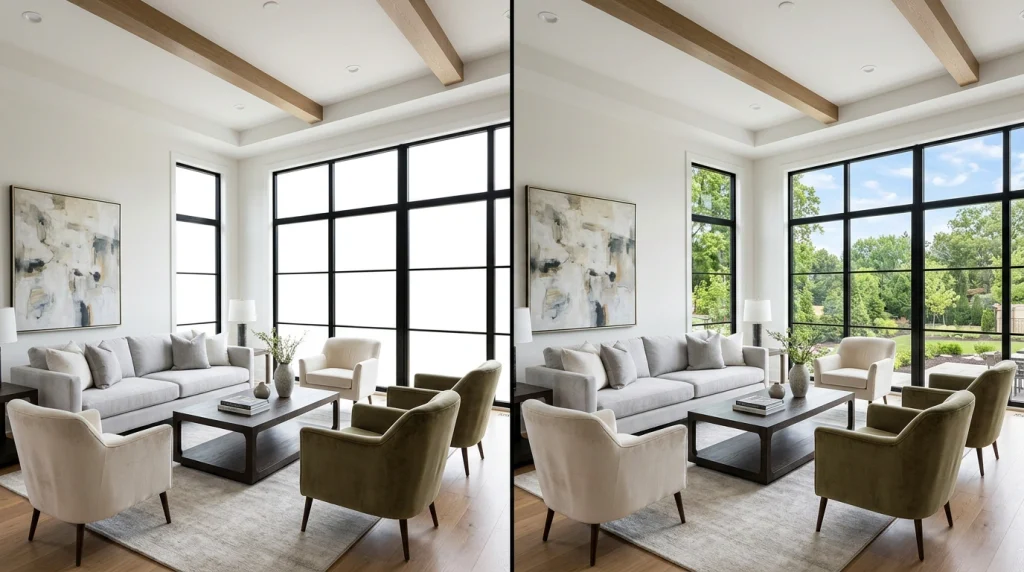
A window pull is an editing technique that blends a darker exposure into the window area, keeping the outdoor view visible while the room remains properly exposed. For example, a darker bracket may preserve trees, skyline, lake water, or a backyard patio that would otherwise disappear into white glare.
First, window pulls are especially valuable in homes with large glass doors, waterfront views, city views, or scenic mountain surroundings. If the exterior view helps sell the home, it should not be obscured by a room that is too dark.
Window masking should look subtle. A harsh mask can create obvious outlines around window frames or make the outdoor scene look much darker than it would appear in person. Great real estate window pull editing is almost invisible because it feels visually normal.
How Does Manual HDR Blending Compare With Automatic HDR Merging?
Manual HDR blending gives an editor frame-by-frame control, while automatic HDR merging uses software or AI to process bracket sets faster with less individual intervention. For example, a human editor can carefully mask a bright exterior behind curved window frames, while automated software can merge hundreds of straightforward interior bracket sets in minutes.
| Feature | Manual HDR blending | Automatic HDR merging | Flambient editing |
| Main method | Human masking and targeted adjustments | Software or AI merges exposure sets | Ambient frames blended with flash frames |
| Best for | Luxury homes, difficult windows, style matching | High-volume, routine residential shoots | Mixed lighting and premium interior work |
| Speed | Usually hours to next day | Often minutes to a few hours | Usually slower than standard HDR |
| Window control | Very high | Varies by platform | Very high |
| Color correction | Highly customizable | Depends on the tool or profile | Often excellent with careful flash work |
| Typical risk | Higher cost or slower turnaround | Artificial look or inconsistent edge cases | More demanding shooting process |
Is manual HDR blending better than automatic HDR merging?
Manual HDR blending is better when image quality, difficult lighting, window realism, and a consistent brand style matter more than raw speed. Choose it when the property has curved glass, reflective finishes, chandeliers, ocean views, or mixed lighting that need thoughtful local adjustments.
That said, automated HDR merging can be excellent for high-volume photographers who use consistent shooting methods. AI tools can align brackets, reduce ghosting, recover highlights, correct verticals, and quickly produce usable previews. The smart move is not to worship one workflow; it is to use the workflow that fits the property and deadline.
Manual editing solves exceptions; automated editing solves repetition. A busy photography company may use automatic processing for routine homes and reserve manual review for premium properties or tricky hero images. The best workflow is the one that matches the job.
For example, a simple three-bracket kitchen may be ready for automation. A penthouse with floor-to-ceiling windows, mirrored walls, and sunset reflections probably deserves a human pair of eyes. That is why the final choice should match the scene’s complexity.
What is the difference between HDR blending and flambient editing?
When choosing between HDR and flambient editing, consider that HDR combines multiple ambient-light exposures, while flambient editing blends ambient exposures with flash-lit images to achieve cleaner color and stronger control over interior lighting. For example, HDR may be enough for a bright living room, while flambient can help neutralize an orange tungsten ceiling or remove green grass reflections from white cabinets.
When flash is used strategically during the shoot, flambient photo editing services are popular among photographers. The flash frame can provide clean, neutral light, while ambient frames preserve the natural mood and exterior light, making flambient a stronger option when lighting control matters.
When speed matters more than lighting control, HDR is usually simpler to capture and outsource. A photographer can quickly shoot bracketed ambient frames, then rely on bracketed exposure blending for real estate photography to balance the final result. That makes HDR a practical choice for many daily listing workflows.
What Edits Are Included in Real Estate HDR Photo Blending Services?
Real estate HDR photo blending services commonly include exposure balancing, color correction, window pulls, lens correction, vertical correction, and basic cleanup, but exact inclusions depend on the provider and package. For example, one vendor may include sky replacement and object removal as standard, while another treats them as premium add-ons.
First, ask for a clear service checklist before you place a large order. “HDR editing” sounds simple, but it can mean anything from an automatic merge to full manual exposure blending with local retouching.
| Editing feature | Why it matters | Usually standard or add-on? |
| Exposure blending | Balances dark interiors and bright windows | Usually standard |
| White balance and color correction | Makes rooms look clean and consistent | Usually standard |
| Lens and perspective correction | Straightens vertical lines and reduces distortion | Usually standard |
| Window pull or window masking | Preserves views beyond windows | Often standard; confirm first |
| Alignment and deghosting | Fixes minor movement between brackets | Often standard |
| Sky replacement | Enhances flat exterior skies | Often an add-on |
| Object removal | Removes cords, bins, signs, or small distractions | Often an add-on |
| Virtual twilight | Converts daylight exteriors into dusk-style visuals | Usually an add-on |
| Virtual staging | Adds digital furniture to vacant rooms | Usually a separate service |
Can HDR editing recover blown-out windows and dark interiors?
HDR editing can recover window and shadow detail when that information exists in the original bracketed exposures. For example, if a dark exposure captures the blue sky and trees outside, an editor can blend that detail into the final image while using brighter frames for the room’s interior.
However, editing cannot recover pixels that were never recorded. For instance, a badly overexposed JPEG may not contain enough exterior information for a natural window pull. This is why bracketed shooting remains important for high-contrast rooms.
Better capture creates better HDR blending. A skilled editor can dramatically improve strong source files, but no editor can create a missing view without replacement imagery.
Therefore, shoot consistently, avoid bumping the tripod between frames, and keep ISO as low as practical. These habits reduce noise, alignment issues, and editing time, helping make the final result as strong as possible.
Can professional HDR editors fix ghosting and alignment problems?
Professional HDR editors can often fix minor ghosting and alignment problems by aligning frames and selecting a clean exposure for moving elements. For example, if a tree branch moves slightly between brackets, an editor can use a single frame for that area instead of blending several blurred branches.
Still, a larger movement creates limits. A person walking through a room, a rapidly spinning fan, or a curtain moving in strong wind may require extra retouching or need to remain visible in a single selected frame.
In addition, send the original bracket sequence in the correct order and keep file names intact when possible. Clear file handling helps editors identify which frames belong together, especially when you submit bulk real estate photo editing jobs.
Which Professional Real Estate HDR Photo Blending Services Should You Consider?
Professional real estate HDR photo-blending services should be chosen based on your volume, preferred editing style, turnaround requirements, budget, and need for related services such as virtual staging or twilight editing. For example, a luxury photographer may prioritize manual blending and custom style matching, while a high-volume brokerage may value automation and API-based delivery.
First, treat every vendor recommendation as a shortlist rather than a permanent verdict. Prices, turnaround promises, service packages, and quality-control processes can change, so you should confirm the final details before placing an order.
| Service | Best for | Relevant HDR capabilities | Suggested use |
| PhotoUp | Recurring professional photography workflows | HDR, manual blending, flambient, custom styles, window masking | Good for photographers who want a scalable service relationship |
| Estate HDR | Dedicated manual HDR and flambient work | Hand-blended brackets, window masking, perspective correction, RAW support | Suitable for photographers focused on specialized HDR editing |
| BoxBrownie | All-in-one property marketing | HDR enhancement, window replacement, vertical correction, sky edits, staging | Useful when you need editing plus staging and marketing extras |
| SunTec India | High-volume or white-label workflows | Multi-bracket blending, alignment, deghosting, masking, quality control | Consider for agency-scale outsourcing |
| PixelShouters | Natural and restrained visual style | Balanced blending, color correction, controlled window pulls | Consider for realistic architectural-style work |
| PhotozWorld | Broader outsourced post-production | Three-to-seven exposure blending, retouching, twilight options | Useful for bundled editing requirements |
| Stager AI | Fast AI-driven processing | Automated RAW bracket merge, alignment, window pulls, deghosting | Consider for high-volume, fast-turnaround operations |
How much does real estate HDR photo editing cost per image?
Real estate HDR photo editing can range from low-cost automated processing to premium manual retouching, with price affected by image complexity, number of brackets, turnaround speed, add-ons, and order volume. For example, the provider information supplied for this guide lists Estate HDR at about $0.80 per image, Mast Creations at about $0.85 per image, Pixflows at about $1.20 per image, and BoxBrownie’s enhancement service at about $1.60 per image; confirm live pricing before purchase.
First, do not select an editor using price alone. A $0.40 edit that requires three rounds of revision can cost more time and erode client trust than a $1.50 edit delivered correctly overnight. Cheap editing can become expensive, just as cheap umbrellas become expensive during a storm.
Moreover, compare what each price includes. Ask whether the service includes window pulls, vertical corrections, color matching, basic object removal, deghosting, revisions, TIFF exports, rush delivery, and custom presets. A low advertised price may cover only a basic model.
How long does professional HDR real estate photo editing take?
Professional HDR real estate photo editing typically takes 12 to 24 hours for standard human-edited orders, whereas automated HDR tools can process routine bracket sets in minutes or hours. For example, several specialist providers promote next-day delivery because photographers often need finished galleries before the following morning’s listing launch.
However, turnaround depends on complexity and volume. A ten-image condo gallery with simple brackets may be quick to put together. A 60-image luxury listing with five brackets per image, glass walls, daylight-to-twilight edits, and object removal will naturally need more production time.
Therefore, ask about cut-off times, weekend coverage, rush fees, revision handling, and peak-season capacity. Reliable turnaround is part of image quality because a perfect gallery delivered after the listing goes live is only half useful.
What Tools Can You Use for Real Estate HDR Photo Blending?
Real estate HDR photo-blending tools include desktop software, AI platforms, and outsourced human editing services that merge bracketed photos to produce listing-ready images. For example, you can use Photomatix Pro or Lightroom for in-house workflows, use AI platforms for rapid batch processing, or hire a specialist editor for manual control.
First, Adobe Lightroom Classic and Photoshop are useful for photographers who want to manage their own merges, presets, and detailed corrections. Lightroom’s HDR Merge feature is convenient for basic bracket sets, while Photoshop gives experienced editors deeper masking control.
Moreover, Photomatix Pro remains a dedicated HDR-processing option, offering merge-to-HDR, presets, and batch features for high-contrast scenes. A tool is only as good as your restraint, though; do not slide the “drama” setting until the room looks like it is auditioning for a superhero movie.
At the same time, AI platforms can speed up repetitive work. Imagen, AutoHDR, and Stager AI represent the growing automated side of AI HDR, merging real estate photography, particularly for teams that need fast preview files or large-scale processing.
For example, a photographer shooting five listings in one day could generate rapid AI merges, perform a visual quality check, and then send only difficult hero images to a human editor. This hybrid approach gives you speed without blindly trusting a machine to understand a mirror, a window, and a sunset at once.
When should you outsource HDR photo editing instead of editing in-house?
You should outsource HDR photo editing when editing time limits your ability to shoot, market, deliver, or spend time with clients. For example, if each listing creates 100 to 300 bracketed source files, one busy week can turn into a small digital mountain range.
First, calculate the true cost of editing internally. Include culling, file backups, merges, color correction, revisions, exports, uploads, and client communication. The number is rarely just “ten minutes per photo.”
In addition, outsourcing can make sense when consistency matters across multiple shooters. A shared editing partner or documented style guide can make galleries feel unified even when two photographers shoot different homes on the same day.
Outsourced real estate photo editing creates leverage by freeing up your time and preserving your style. The right provider should make your service feel more consistent, not more generic.
How Do You Choose the Best Real Estate HDR Photo Editing Service?
The best real estate HDR photo editing service is the provider that consistently matches your desired style, meets your delivery deadline, handles difficult lighting well, and clearly explains what is included. To decide, compare test results, turnaround reliability, revision handling, file practices, and consistency across images. For example, a service that produces attractive test images but cannot meet your next-morning workflow is not the best fit for a busy MLS photographer.
First, order a controlled test batch of five to ten challenging bracket sets. Include a bright-window living room, a dark bathroom, a mixed-light kitchen, a reflective mirror, white walls, outdoor foliage, and at least one image needing vertical correction.
Second, judge the results by specific criteria:
- Window realism: The exterior should look visible and believable, not pasted in or unnaturally dark.
- Color accuracy: White walls should remain neutral, wood should look like wood, and grass should not glow.
- Vertical correction: Door frames, cabinets, walls, and exterior lines should look straight.
- Shadow detail: Dark areas should retain detail without becoming flat gray mush.
- Ghosting control: Moving curtains, fans, trees, and people should not create duplicate edges.
- Gallery consistency: Every image should belong to the same home and the same visual style.
- Revision policy: The provider should explain how to request changes and how quickly they respond.
- File handling: The provider should clearly state accepted files, delivery format, storage, and privacy practices.
Third, provide a short editing brief. Include sample final images, desired white balance, window-pull strength, preference for warm or neutral interiors, vertical correction expectations, and notes about what must not be changed.
What Should You Do Next With Real Estate HDR Photo Blending?
Your next step in real estate HDR photo blending is to create a repeatable process for shooting, briefing, testing, and quality control. For example, photographers can standardize a five-bracket capture method, while brokerages can create a vendor scorecard for every listing photographer or editor.
First, define your image style before you shop for a provider. Decide whether your brand should look bright and airy, warm and editorial, neutral and architectural, or clean and MLS-focused. A clear style guide prevents vague feedback such as “make it pop,” which is the editing equivalent of asking for “something nice.”
Second, build a small test folder with your hardest real-world images. Use those files when comparing professional real estate HDR editing providers, AI platforms, or freelance editors. A service that succeeds with easy images may still struggle with the high-contrast rooms that actually test skill.
Third, use a gradual workflow:
- Shoot a consistent set of three to five bracketed exposures.
- Back up files before uploading or editing.
- Send the same test set to two or three potential providers. Compare visual quality, delivery speed, revision experience, total cost, and each provider’s adherence to your style brief. To decide, rank the providers against the same criteria before choosing the winner.st.
- Document the winning style in a short brand-editing guide.
- Review a sample of each delivered gallery before client delivery.
Finally, use Fiverr carefully as a flexible testing channel when you want to compare independent editors, specialized retouchers, or one-off support before entering a long-term contract. Fiverr can be useful for small trials, but it does not replace a consistent style brief or quality-control process.
Professional Real Estate HDR Photo Blending Services: Final Thoughts
Professional real estate HDR photo-blending services turn difficult lighting conditions into polished, natural property images by balancing exposures, preserving window views, correcting perspective, and maintaining a consistent final gallery. For example, one carefully blended image can show the warmth of a living room and the value of its view without sacrificing either.
Most importantly, great HDR editing is not about making a home look fake-perfect. It is about helping buyers see the home clearly, helping agents present it confidently, and helping photographers deliver work that feels sharp, reliable, and worth remembering.
Start with a test batch, compare results honestly, and choose the workflow that supports your standards—not just the lowest per-image price. The main takeaway is to prioritize clarity, consistency, and fit over price alone. Your listing photos do not need more drama. They need more clarity.
Affiliate & AI Content Disclosure:
Some links on this website may be affiliate links. If you click one and make a purchase, we may earn a commission at no additional cost to you. We only recommend products or services we believe may be useful to our audience.
Some content on this website may be created, assisted, edited, or enhanced using artificial intelligence (AI). AI-generated or AI-assisted content is reviewed where appropriate, but it may contain errors, omissions, or outdated information. To help you use it carefully, please verify important information independently before making decisions.